

Saydi
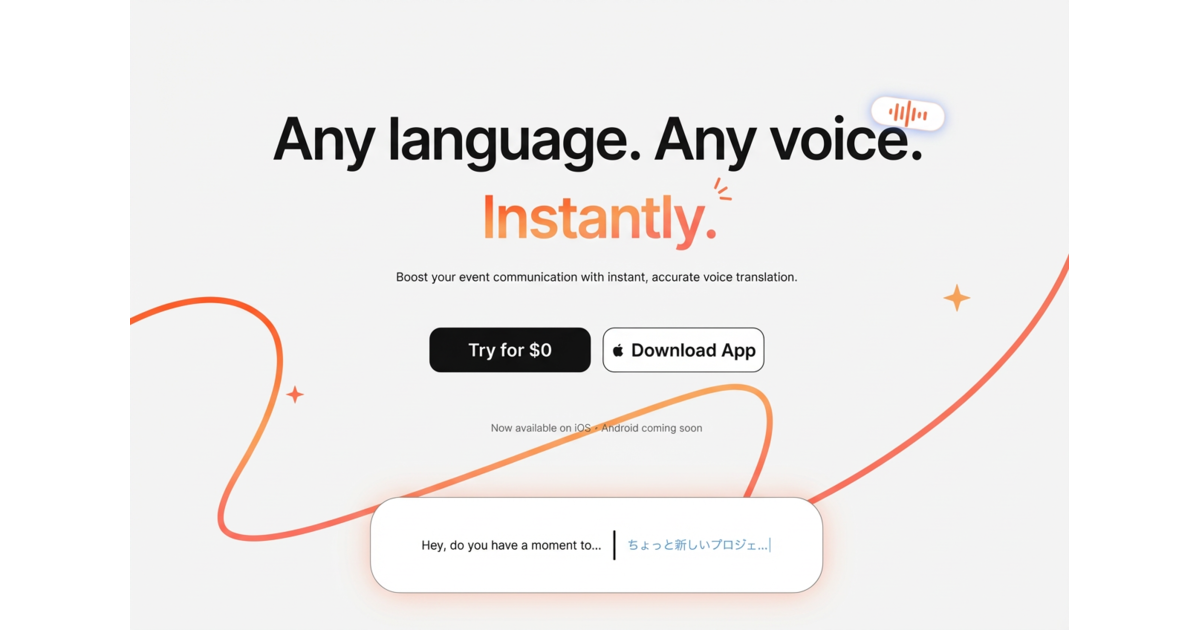
Saydi is an AI voice translation platform for meetings and events, translating spoken conversations in real time across 60+ business languages.
What is Saydi?
Saydi is an AI voice translation platform designed for real-time communication in meetings, events, and conferences. Its core purpose is to help speakers and attendees understand each other across languages by translating spoken content as conversations unfold.
The platform supports use for both personal and professional contexts, with features aimed at capturing spoken nuance, organizing conversation output, and making it practical to deploy during live discussions.
Key Features
- Real-time AI voice translation: Provides interpretation during live back-and-forth dialogue, aiming for low delay for smoother conversations.
- 3 flexible translation modes (two-way, one-way, transcribe): Covers common meeting workflows, from bidirectional conversation to translating in a single direction or generating transcript output.
- Auto language detection: Detects who is speaking without requiring users to select languages manually.
- Speaker diarization in notes: Automatically labels “who said what,” helping users keep track of participants’ statements when reviewing notes.
- AI Context Engine: Uses meeting details, keywords, and saved terminology to guide translation beyond basic word-for-word output.
- Custom Dictionary (up to 50 specialized terms): Lets teams store industry or domain-specific terms so translation aligns with their preferred terminology.
- Scenario presets: Includes instant presets such as Tech, Sales, or Events to streamline setup for recurring event types.
- Chrome extension for meetings: Integrates directly with Google Meet, Zoom, and Teams to support live meeting translation from a browser-based workflow.
- Web & mobile app access: Offers the same translation concept across devices.
- Event document localization options: Includes DocTranslate for instant localization of event documents.
- QR code event entry: Supports joining a session via QR code so multiple attendees can access translation quickly.
How to Use Saydi
- Get started with a free trial: Start by trying Saydi for free.
- Choose a mode: Select the interaction mode that matches the moment—two-way, one-way, or transcribe.
- Set context if needed: Use meeting details, keywords, and any relevant scenario preset; optionally add specialized terms to the Custom Dictionary (up to the stated limit).
- Join from your device: Use the Chrome extension for Google Meet, Zoom, or Teams, or use the web/mobile app workflow.
- For events with many attendees: Use the QR code approach for participant access and DocTranslate for localizing event documents.
Use Cases
- International team meetings: Teams can run two-way translation during daily or recurring meetings so participants can follow discussion in their preferred language.
- Cross-border sales calls: Sales teams can apply scenario context (e.g., Sales) and store recurring industry terms in the Custom Dictionary to keep product and deal language consistent.
- Large conferences with multilingual audiences: Organizers can support attendees using QR code access and guide translation with event-related context presets.
- Tech summits and technical discussions: Speakers can use tech-oriented scenario presets and meeting details/keywords to help the translation reflect technical subject matter.
- Reviewing or sharing conversation outputs: In transcribe mode, speaker diarization labels “who said what,” making it easier to reference parts of the discussion afterward.
FAQ
-
Does Saydi require selecting languages manually? The platform includes auto language detection, which means it can identify languages without buttons for users.
-
What translation modes are available? Saydi offers three flexible modes: two-way, one-way, and transcribe.
-
Can I add specialized terms for my industry? Yes. Saydi includes a Custom Dictionary feature, with support for saving up to 50 specialized industry terms.
-
How does it work in live online meetings? Saydi provides a Chrome extension aimed at Google Meet, Zoom, and Teams, alongside web and mobile app access.
-
How can attendees join during events? The platform supports a QR code entry approach for events, and it also includes DocTranslate for localizing event documents.
Alternatives
- General-purpose real-time meeting translation tools: Alternatives in the same category typically focus on translating spoken audio during calls; compare the range of modes (two-way/one-way/transcribe) and whether they offer speaker diarization or custom terminology.
- Captioning and transcription platforms with translation: Some tools concentrate on captions/transcripts and then translate text. These may differ from dedicated voice-translation workflows and may or may not include meeting-focused context features.
- Document localization workflows: For audiences primarily needing translated event materials (rather than live conversation), document localization tools can be used alongside separate meeting audio translation.
- Multilingual interpretation services (human): Human interpreters can handle nuanced conversations, while AI tools like Saydi focus on real-time translation with features such as custom dictionaries and automated speaker labeling.
Alternatives

Microsoft Translator
Quickly translate words and phrases between English and over 100 languages.

Rubriq
Rubriq is an AI polishing and AI translation tool for academic papers, with “Revision Mode” to review changes and downloadable results.

Glarity
Glarity is a free AI browser extension to summarize YouTube videos and translate web pages, with AI chat, AI search, ChatPDF & AI image generation.

Caplo
Caplo is an iOS app for real-time captions and translation from any app, with picture-in-picture overlay and mic or system audio capture.

Streva
Streva is an AI translation and transcription app for macOS with inline, intent-driven writing and translation right where your cursor is.

Google Translate
Google's service, offered free of charge, instantly translates words, phrases, and web pages between English and over 100 other languages.