

send/links
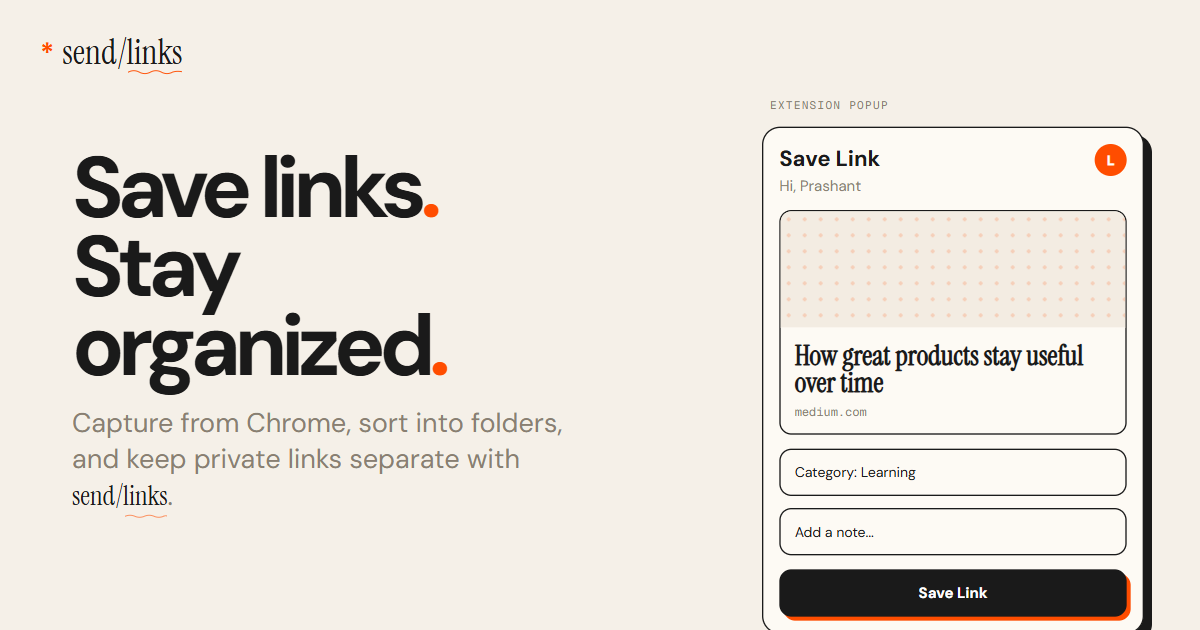
Save links from your browser or Telegram into send/links—an organized dashboard with automatic titles, descriptions, categories, previews, fast search, and PIN private mode.
What is send/links?
send/links (shown as “send/links” on the site, with the domain sendlinks.app) is a link-saving app that consolidates URLs saved from a browser or Telegram into a single organized dashboard. Its core purpose is to prevent links from being scattered across tabs, notes, and messaging threads so you can locate them later.
The product focuses on an organized link library built around automatic metadata extraction (title, description, category, and previews) and fast retrieval via search and filters. It also includes views for reading and revisiting links, along with a PIN-protected private mode for sensitive items.
Key Features
- Save links from multiple places (Chrome extension, Telegram bot, or URL paste): Use the browser extension or Telegram to send links to the same library.
- Automatic organization from the page: Each saved link gets a title, description, category, and a preview pulled from the page content, aiming to reduce manual tagging.
- Smart folders and inbox-style browsing: The dashboard supports collections such as Inbox, All Links, Pinned, and Archive, plus “smart folders” styling shown in the interface.
- Search and filtering: Find links by title, domain, tag, or date, with filtering by website and the option to browse by date.
- Private mode with PIN protection: Enter Private mode from the profile menu to switch the dashboard to a private vault that shows only sensitive links.
How to Use send/links
- Install the Chrome extension (as shown on the site) and use it to save a URL from any page.
- Alternatively, DM the Telegram bot with a link or paste a URL into the app to add it to your library.
- After saving, use the dashboard’s search (title/domain/tag/date) or browse by date to locate what you need.
- For links you want to keep separate, enter Private mode via the profile menu and set/enable PIN-protected access.
Use Cases
- Reduce “tab hoarding” after reading: Save articles from your browser tabs into one library so you can search later instead of relying on open tabs.
- Keep social saves from going missing: When you save posts from platforms where links can be hard to track, send the URL to your dashboard so it remains searchable.
- Build a travel planning reference: Save itineraries and destination resources, then revisit them by browsing your saved timeline and filtering by domain.
- Organize work research across contexts: Store links you collect during planning or design/research so you can find them again using tags or categories.
- Hide sensitive links from casual viewing: Turn on private mode for items like internal notes or drafts so they don’t appear in the main dashboard view.
FAQ
- Where can I save links from? You can save from a browser via the Chrome extension, from Telegram (bot), or by pasting a URL.
- Are links organized automatically or do I need to tag them manually? The dashboard automatically pulls title, description, category, and a preview from the saved page content.
- Can I keep some links private? Yes. The app offers a PIN-protected private mode that shows only your sensitive links in a private vault view.
- How do I find a saved link later? Use the dashboard search to look by title, domain, tag, or date, and filter by website or browse by date.
Alternatives
- Bookmark managers and “read later” apps: Tools that store URLs in a single place, typically centered on bookmarking and later reading. Compared to send/links, workflows may vary in how much metadata is extracted and how private sections are handled.
- Note-taking tools with web clipper/capture: Apps that capture links and pages into notes or databases. Compared to send/links, the link library may be organized differently (often manual or note-structured rather than a dedicated link dashboard).
- Telegram-based link collections or saved messages: Using Telegram as the primary repository. Compared to send/links, you may have fewer dedicated search/filter and dashboard organization features across link types.
Alternatives

dumppp
dumppp delivers fast mobile capture to Notion with quick launch, context switching, and offline-first sync. Type instantly, review via timeline.

Lasso
Lasso is an AI-first PIM for ecommerce teams that enriches product attributes and descriptions, processes supplier data, and monitors competitors via app or API.

Struere
Struere is an AI-native operational system that replaces spreadsheet workflows with structured software—dashboards, alerts, and automations.

garden-md
Turn meeting transcripts into a structured, linked company wiki with local markdown and an HTML browser view. Sync from supported sources.

Falconer
Falconer is a self-updating knowledge platform for high-speed teams to write, share, and find reliable internal documentation and code context in one place.

BookAI.chat
BookAI allows you to chat with your books using AI by simply providing the title and author.