
Web terminal
Run commands through an outbound WSS agent tunnel. Sessions can persist after a tab closes, support searchable scrollback and provide a unified history for manual, scheduled and recipe runs.

Servor is a hosted server operations console for managing VPS, dedicated and cloud machines with terminal, files, monitoring, alerts and status pages from your browser.
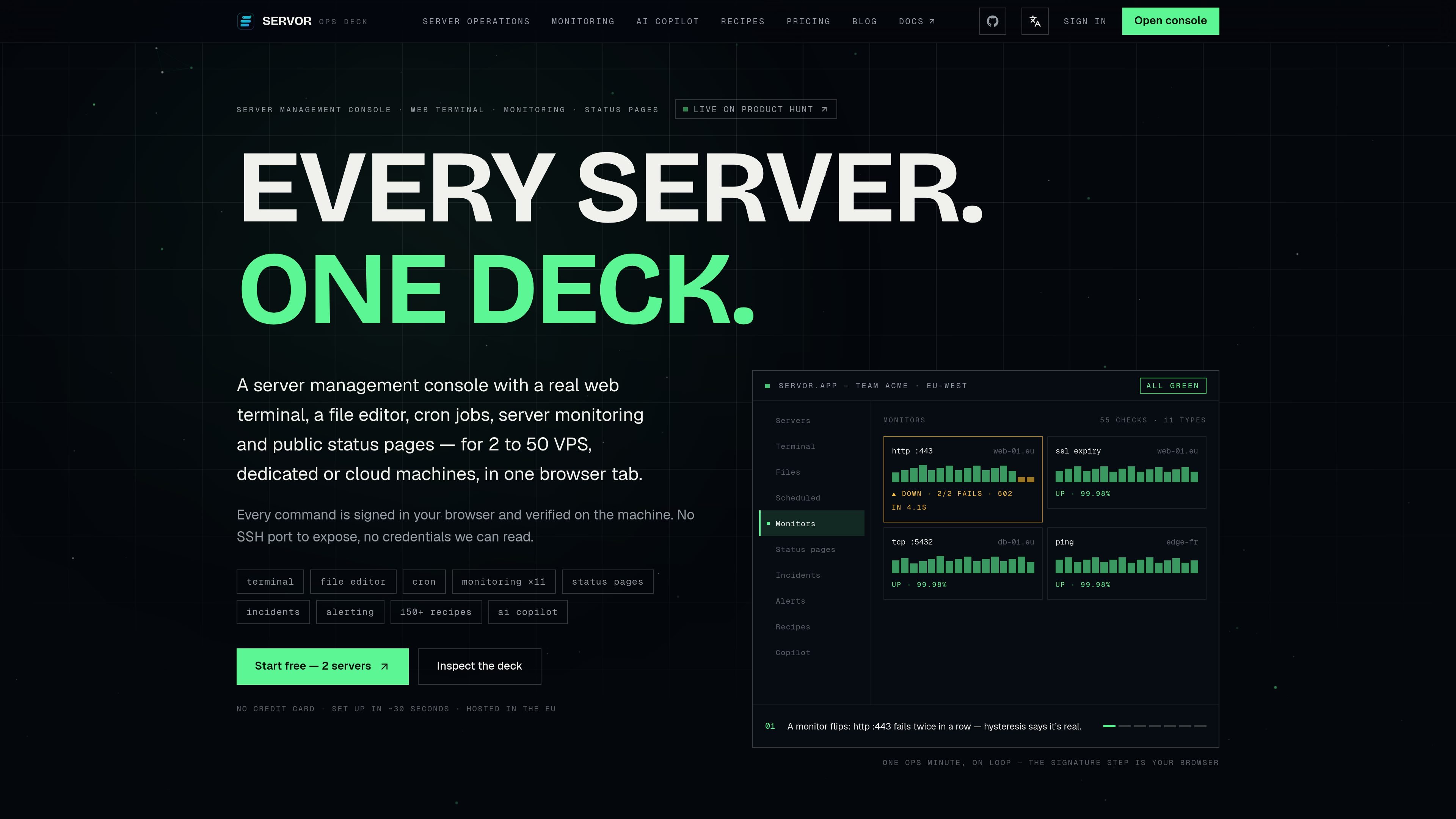
Servor is a browser-based server management console for VPS, dedicated and cloud machines. It brings terminal access, file editing, scheduled commands, monitoring, incident management, alerting and public status pages into one workspace for managing a fleet of servers.
Its connection model uses an outbound-only agent tunnel rather than an exposed SSH port. Commands are signed in the browser and verified on the machine, while credentials are encrypted before leaving the browser. The product is hosted in Europe and offers a free plan for two servers, with paid plans for larger fleets and additional operational capacity.
Run commands through an outbound WSS agent tunnel. Sessions can persist after a tab closes, support searchable scrollback and provide a unified history for manual, scheduled and recipe runs.
Browse, edit, upload and download files through the signed agent path. Saves are atomic, preserve permissions, and support uploads up to 512 MB.
View and control systemd services and Docker containers, including start, stop, restart, reload, enable at boot and interactive container shells where applicable.
Schedule commands on the server, review the last 20 runs and their output, run jobs immediately, and alert after consecutive failures. Jobs run locally without an active browser session.
Create HTTP, TCP, SSL expiry, DNS, ping, shell, disk, process, script, heartbeat and metric-threshold checks. HTTP checks can validate response bodies or JSON fields, rather than only status codes.
Manage incidents, alert routing and public status pages from the same workspace. Incidents may be opened automatically by failed monitors, while status pages support components, timelines, subscribers and custom domains with automatic TLS on applicable plans.
Open a persistent terminal session, inspect logs or configuration, edit a file, and reload the affected service without switching to a separate SSH client or SFTP tool.
Define local scheduled commands such as renewals or maintenance tasks, review their output, and receive alerts after repeated failures even when no browser session is open.
Combine uptime, content, infrastructure and local-agent checks to detect outages or degraded responses, then use automatic incident creation and a timeline to coordinate recovery.
Group services into components on a public status page, publish maintenance or incident updates, and notify subscribers while an issue is being investigated.
Operate a small fleet from a shared browser workspace, using audit history and role-based plan capacity as the team grows from the free tier to paid plans.
Servor uses an outbound-only agent tunnel over WSS, so servers do not need an exposed SSH port. Commands are signed in the browser with an Ed25519 key and verified by the agent before execution. The site describes setup as taking about 30 seconds and does not require a credit card for the free plan.
The console combines a web terminal, file explorer and editor, service and container controls, scheduled commands, monitoring, incidents, alerting and public status pages. Terminal sessions can persist after a browser tab closes, and file changes use signed operations with atomic saves.
Servor supports HTTP, TCP, SSL expiry, DNS, ping, shell, disk, process, script, heartbeat and metric-threshold checks. HTTP checks can assert on response bodies or JSON fields, and monitors can open incidents when checks fail.
The free plan includes two servers, four monitors, one public status page, manual commands, and two monthly runs from the official recipe library. Paid plans add more servers and monitoring capacity; the Operations plan costs €9 per month and the AI plan costs €29 per month, with one seat included and extra seats at €9 per month.
Servor provides public status pages on a custom domain with automatic TLS on eligible paid plans. Status pages can show components, incident updates and subscriber notifications; the site also lists email, Slack, Discord, Teams, Telegram, PagerDuty, Opsgenie, ntfy and SMS among alert destinations.

ClawTick is an AI agent automation platform for scheduling jobs from the CLI, dashboard, or REST API. Built for developers and teams using LangChain, CrewAI, webhooks, or custom workflows with monitoring, alerts, and logs.

OpenFlags is an open-source, self-hosted feature flag platform for JavaScript teams, with local evaluation, targeted rollouts, and controlled launches.

EAS Observe monitors production performance in Expo and React Native apps, showing startup metrics, session timelines, release markers, and errors in the Expo dashboard.

Rectify is an all-in-one SaaS operations platform with session replay, monitoring, support, code scanning, roadmaps, and changelogs for product teams.

PromptScout tracks how ChatGPT, Gemini, Google AI Overviews, and Perplexity mention your brand or competitors, with source analysis and website audits.

Sleek Analytics is a privacy-friendly web analytics tool with real-time visitor tracking, Core Web Vitals, and revenue attribution.