

Superscribe
Superscribe transcribes your voice into text in real time and automatically tracks billable hours during dictation.
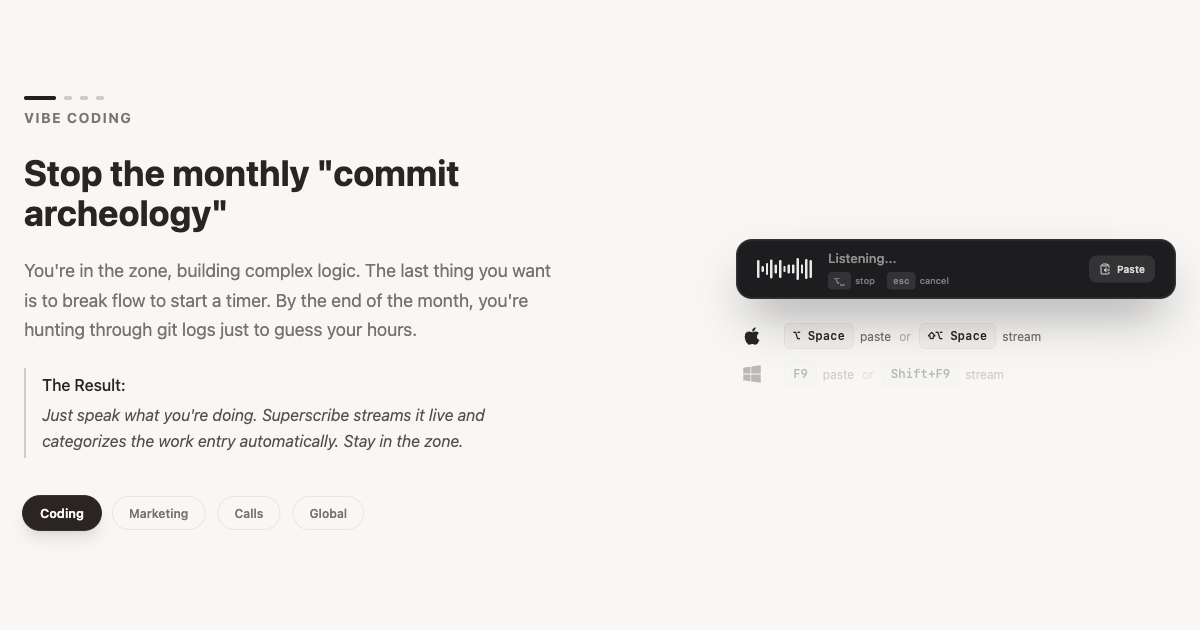
What is Superscribe?
Superscribe is a voice-to-text dictation tool that transcribes speech in real time. It’s designed to help people capture spoken notes quickly while also keeping track of billable time automatically.
By combining transcription with time tracking, Superscribe supports workflows where users talk through work or client updates and need an accurate record of billable hours alongside the written output.
Key Features
- Real-time voice transcription: Converts your spoken words into text as you speak, reducing the gap between dictation and usable notes.
- Built-in time tracking: Automatically tracks billable hours during dictation, so time logging doesn’t have to be done separately.
- Automatic pairing of transcript and billable time: Provides a workflow where the written record and the time spent are captured together during the same voice session.
- Faster dictation workflow than typing: Positions voice dictation as a way to talk 4x faster than you type, which can help shorten how long it takes to produce first drafts or notes.
How to Use Superscribe
- Start a new dictation session in Superscribe.
- Speak your notes or content; Superscribe transcribes your voice into text in real time.
- Continue dictating for the work you want captured and billable time tracked.
- Review the resulting transcript, using the automatically tracked billable hours alongside it.
Use Cases
- Client meeting notes: Dictate key points during or immediately after a client call, with billable time tracked alongside the transcript.
- Drafting written updates: Speak through an email, status update, or memo and use the live transcript as a starting point while time spent is recorded automatically.
- Legal and professional documentation: Create structured written records from spoken explanations where accurate billable hours are required.
- Time-sensitive internal notes: Capture quick verbal updates from meetings or standups and keep a time record for work performed.
- Ongoing work sessions: Use voice dictation for longer stretches of work where you want both the text and the time spent consolidated.
FAQ
Does Superscribe transcribe in real time?
Yes. Superscribe transcribes your voice in real time while you dictate.
Does Superscribe track billable hours?
Yes. It includes built-in time tracking that tracks billable hours automatically.
What is Superscribe best suited for?
Superscribe is designed for users who want to dictate content by voice and also need billable time tracked during the same workflow.
Can I use Superscribe just for transcription?
Based on the provided description, Superscribe includes both transcription and time tracking, so it’s intended to cover both during voice sessions.
Alternatives
- Standalone transcription tools: Tools focused only on turning speech into text. These may require separate time tracking if you need billable hours.
- General-purpose note-taking apps with dictation: Apps that support voice-to-text but may not include built-in billable time tracking.
- Time tracking software with manual capture: Tools that record time spent but typically require you to start/stop or enter time separately from dictation.
- Speech-to-text plus separate billing/time records: A two-step workflow using transcription software and a separate time/billing system, compared with Superscribe’s combined approach.
Alternatives

Speech to Text Converter Online
A free online tool that converts audio and video files into accurate text transcripts in over 45 languages. It supports numerous file formats and requires no downloads or sign-ups.

Dictato
Dictato is an offline voice-to-text dictation app for macOS that transcribes on-device and inserts into any app you type in. No cloud.

Voicenotes
Voicenotes is an AI note-taker that transcribes voice notes and meetings into text in 100+ languages—so you can review and reuse.

Ringg Parrot STT V1
Ringg Parrot STT V1 is a low-latency speech-to-text API for real-time and file-based transcription of Hindi, English, and code-mixed speech.

Tactiq
Tactiq is an AI meeting assistant that provides live transcription, AI summaries, action items, and custom AI prompts for Google Meet, Zoom, and Teams.

Sanota
Sanota turns your voice into clear, beautiful text—capture memories and ideas easily, then start for free.