
Voice Follow scrolling
Voice Follow listens to what you actually say and advances the script to match your spoken words, so you can pause, skip, backtrack, or ad-lib without losing your place.

Tellie is a macOS teleprompter that follows your spoken words, helping you stay on camera with private notes for calls, interviews, and presentations.
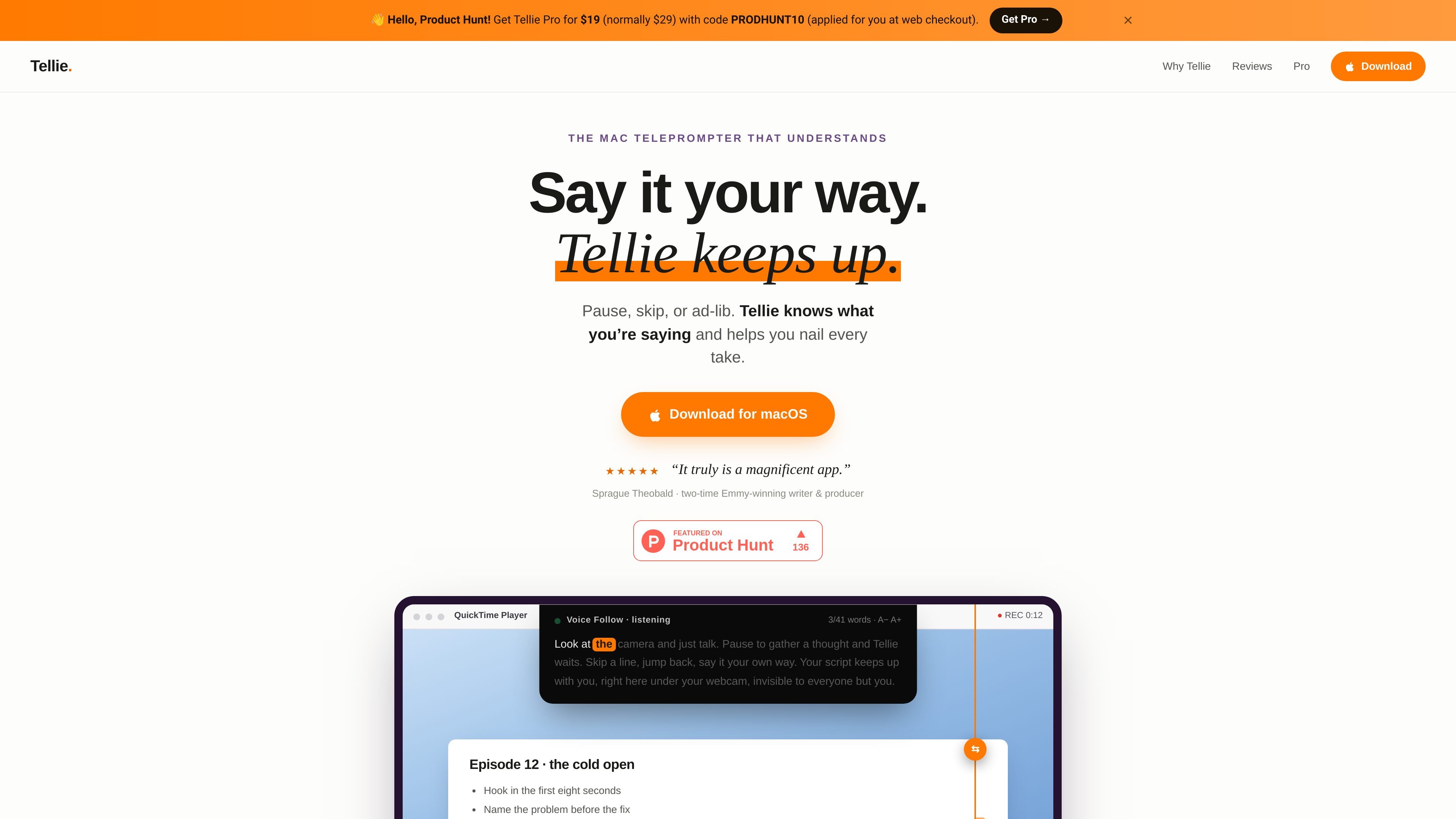
Tellie is a macOS teleprompter designed to follow your spoken words instead of scrolling at a fixed speed. It listens on-device, tracks the words you actually say, and keeps your place when you pause, skip ahead, or phrase something differently.
The product is aimed at situations where you want to stay in eye line with a webcam or camera while using notes: calls, interviews, presentations, auditions, lectures, and recorded takes. It also includes optional tools for marking must-cover points, checking them off as you speak, and showing Keynote notes in the notch.
Voice Follow listens to what you actually say and advances the script to match your spoken words, so you can pause, skip, backtrack, or ad-lib without losing your place.
Marked sections can be set as must-cover items, which turn green as you cover them and can trigger a quiet warning before time runs out.
Presenter Magic places Keynote speaker notes in the notch so you can present without looking to a second screen or shifting your eyes away from the camera.
Tellie hides from screen capture on macOS, so Zoom, Teams, Meet, recordings, and screenshots see only the content behind its window.
The app supports multi-script playlists, per-script memory, Section navigation, global hotkeys, and a resizable floating prompter that can detach from the notch.
Tellie works with Markdown, plain text, RTF, Word, PDF, and Apple Pages documents, and it can receive text from other apps through Send to Tellie.
Use Tellie when you need to stay on camera during a live call but still track a short list of talking points. The notch placement keeps notes near the lens so you can glance up instead of down.
Use Voice Follow in interviews when answers may need to be phrased naturally rather than read verbatim. The script advances as you speak, which helps you stay in flow while still covering key points.
Use Tellie for recorded or live presentations where you want to stay aligned with a script while keeping eye contact with the camera. The app can also show Keynote speaker notes in the notch.
Use Stagehand when a script has specific points that must be covered in a particular take, such as a pitch, lecture, audition, or recorded segment. It marks those items and gives a warning if time is running short.
Use it as a private speaking aid when you want notes available without leaving the Mac or revealing them to the audience. Tellie is positioned as hidden from screen capture and recorded output on supported macOS workflows.
Tellie uses macOS screen-capture exclusion so its window is hidden from Zoom, Teams, Meet, Webex, Loom, and OBS recordings. The page also mentions an opt-in visible mode for demos that resets when you quit.
Yes. The product pages mention Zoom, Microsoft Teams, Google Meet, and Webex. Tellie sits above whatever is on screen rather than integrating with a specific meeting app.
Tellie accepts scripts loaded from Markdown, plain text, RTF, Word (.docx), PDF, and Apple Pages. It can also receive text from other apps through Send to Tellie.
Tellie Pro includes a free 10-day trial with no card or sign-up. After that, the site says Pro is a one-time $29 purchase with no subscription.
Tellie is built for macOS and the pages refer to downloading it for Mac. The site also says one license can be used on up to 3 Macs.

QuickQuill is a local-first macOS dictation and transcription app to record meetings, summarize audio, and export notes without the cloud.

SpeakoFlow is a free, open-source desktop voice-to-text app for Windows, macOS, and Linux. Dictate into any app, use Flow, cleanup, translation, and a screen-aware assistant.

Sanota turns spoken memories and interviews into clear written stories for personal storytelling, family history and shared memories, with guided prompts and subscriptions.

Carbon Voice is an async voice messaging app for teams and individuals, with transcripts, AI catch-up, and cross-device access.

Zen Whisper is a local-first dictation and transcription app for Apple Silicon Macs on macOS 14+. Dictate into most Mac text fields and transcribe media or supported public links across 110 languages.

Speech to Text Converter is a browser-based transcription tool for live dictation and uploaded audio or video files. Free for short tasks, Pro offers unlimited transcription, AI summaries, translation, speaker ID, and advanced exports.