TrueMoments
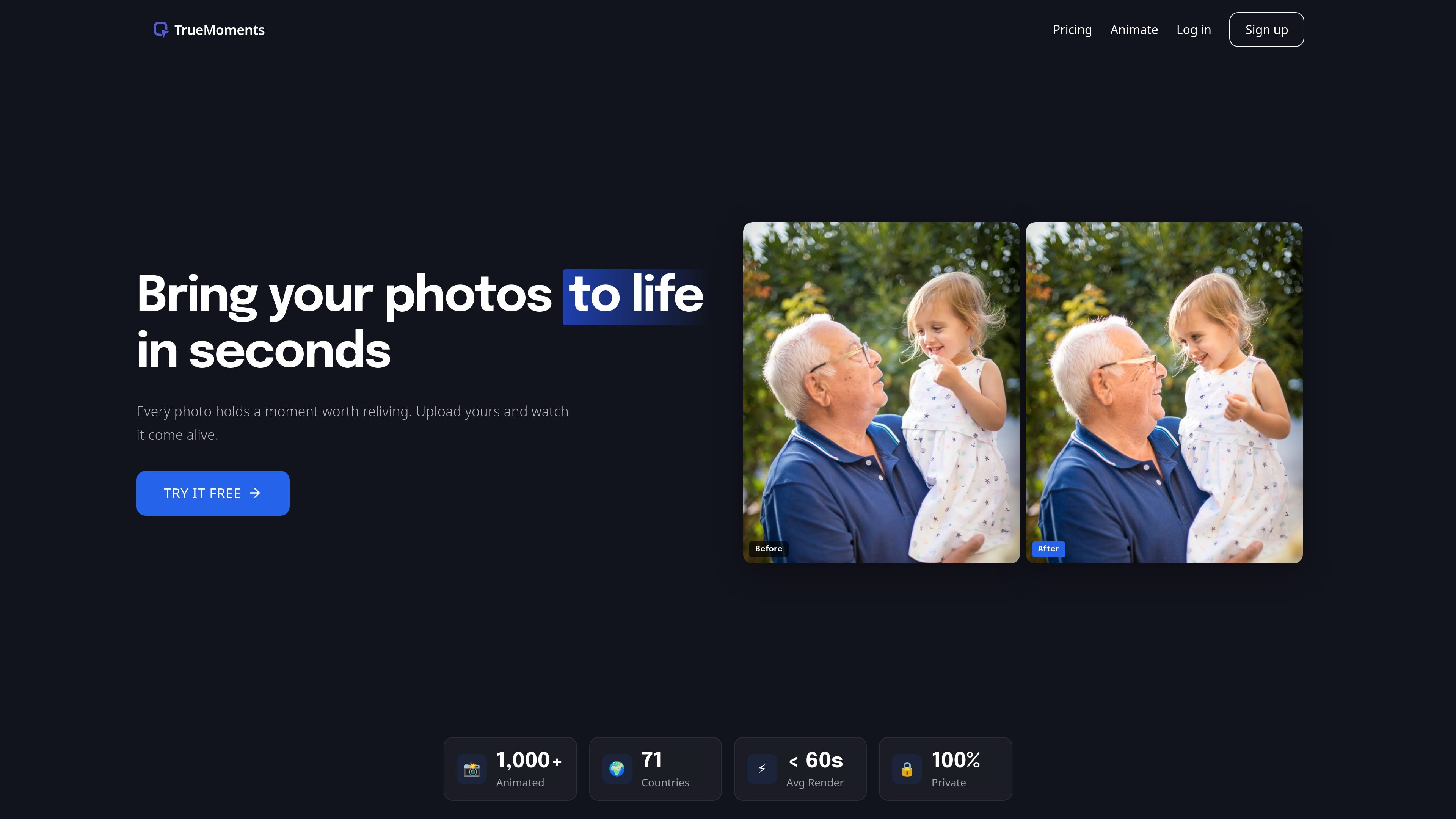
TrueMoments turns your uploaded portraits into short AI animation videos. Choose Solo Portrait, Together, or Cherished Moment—typically <60s.
What is TrueMoments?
TrueMoments is an AI-based photo animation tool that lets you upload a photo and generate a short animated video. The goal is to help you see still photos move—whether they’re recent portraits or older prints—typically within about 30 to 60 seconds.
The workflow centers on choosing an animation style and then letting the AI produce an animated result. The site positions the output as natural motion (subtle head and facial movement) rather than a fully “faked” look.
Key Features
- Upload photos to start an animation: Drag and drop or add an image via a button to begin generating a video from your still photo.
- Choose from three animation styles: Select an animation prompt from Solo Portrait, Together, or Cherished Moment to control the type of motion and emotional tone.
- Fast generation time: Most animations are ready in 30 to 60 seconds, with the site noting that photos with many faces may take slightly longer.
- File requirements and limits: The source specifies that photos should be clear portraits with visible faces, at least 512×512 px, in JPEG or PNG format, with files up to 10MB.
- Privacy controls: The site states uploads are encrypted in transit and at rest, photos are not used for AI training, and you can permanently delete data from your dashboard.
- Credit-based billing and protection: The product uses credits (1 credit = 1 animation). The site says credits are automatically refunded if an animation fails and you won’t be charged for failed generations.
- Commercial licensing for paid outputs: All paid animations include a full commercial license, allowing business use.
How to Use TrueMoments
- Upload a photo: Drag and drop your image or click the + button to add it.
- Pick an animation style: Choose one of the three provided style options (Solo Portrait, Together, or Cherished Moment).
- Generate and wait: Start the animation and wait up to 60 seconds for your AI-generated video.
If you’re unsure which style to pick, use the site’s guidance: Solo Portrait for one person, Together for two or more people, and Cherished Moment as an all-purpose warm option.
Use Cases
- Turn a recent selfie or portrait into an animated memory: Upload a clear, well-lit image from last week and apply a style suited to the number of people.
- Animate an old black-and-white print: The site includes examples like older portraits; results are described as best with clear faces and sufficient resolution.
- Create a family or couple moment: Use Together to generate natural interaction when the photo includes two or more people.
- Headshots and professional portraits: For single-person images where the focus is on expression and subtle head movement, Solo Portrait matches the intended use.
- Prepare shareable content: Use the generated animated photo video as a new way to present personal memories in social or personal contexts.
FAQ
What kind of photos work best? TrueMoments works best with clear portraits where you can see faces. This includes couples, families, headshots, and even old black-and-white prints. The image should be at least 512×512 pixels, in JPEG or PNG format, and up to 10MB.
How long does it take to generate an animation? Most animations are ready in 30 to 60 seconds. If a photo contains many faces, it may take slightly longer.
What’s the difference between the three styles?
- Solo Portrait: designed for one person, focusing on smile, expression, and head movement.
- Together: designed for two or more people, aiming for natural interaction.
- Cherished Moment: a warm, all-purpose style for any photo.
How does pricing work? The site uses credits. 1 credit = 1 animation. Credits start at $9 for a 5-pack, or $9/month via subscription. It also states that yearly plans save 20%.
Are my photos private? Yes. The site states uploads are encrypted in transit and at rest, photos are not used for AI training, and you can permanently delete data from your dashboard.
Alternatives
- Other AI photo animation tools: These also convert still photos into short animations, but typically differ in their supported input formats, style controls, and how they handle privacy.
- Video editors with AI motion features: Some tools let you animate photos using motion effects or generative features; these may offer more timeline control but usually require more manual setup.
- Photo-to-video template platforms: Services that create animated media from photos can be easier to use, though they may rely on preset templates rather than style prompts aimed at facial/portrait motion.
- General-purpose design tools with animation capabilities: Tools that support motion on images (keyframes, transitions) can produce similar outcomes, but the “automatic” step of generating portrait motion is often less specialized than dedicated AI animation products.
Alternatives
艺映AI
艺映AI is a free AI video generation platform focused on transforming text and images into high-quality dynamic videos.
讯飞绘镜 (iFlytek Huijing)
讯飞绘镜 (iFlytek Huijing) is an AI video creation platform that transforms creative ideas into scripts, storyboard images, and dynamic videos quickly and efficiently.

Topview AI
TopView is an AI Video Agent that transforms images into high-converting user-generated content (UGC) videos instantly, enhancing e-commerce and business growth.
Revid AI
Revid AI is an AI video generator that turns story ideas into short videos for TikTok, Instagram & YouTube with scripts, voices, templates, and an editor.
exactly.ai
exactly.ai is an AI image generator and creative studio for teams to replicate brand visuals with signature images—on-brand variations, private style.
TapNow
TapNow is an AI-native visual creation engine for businesses and creators—generate professional-grade visuals for e-commerce ads to cinematic art.