
Capture source material
Collect articles, videos, screenshots, notes, and other fragments in one workspace, then use them as raw material for later creation.

YouMind is a web-based AI creation studio for turning notes, source material, and prompts into writing, slides, webpages, images, audio, and video. Free and paid plans.
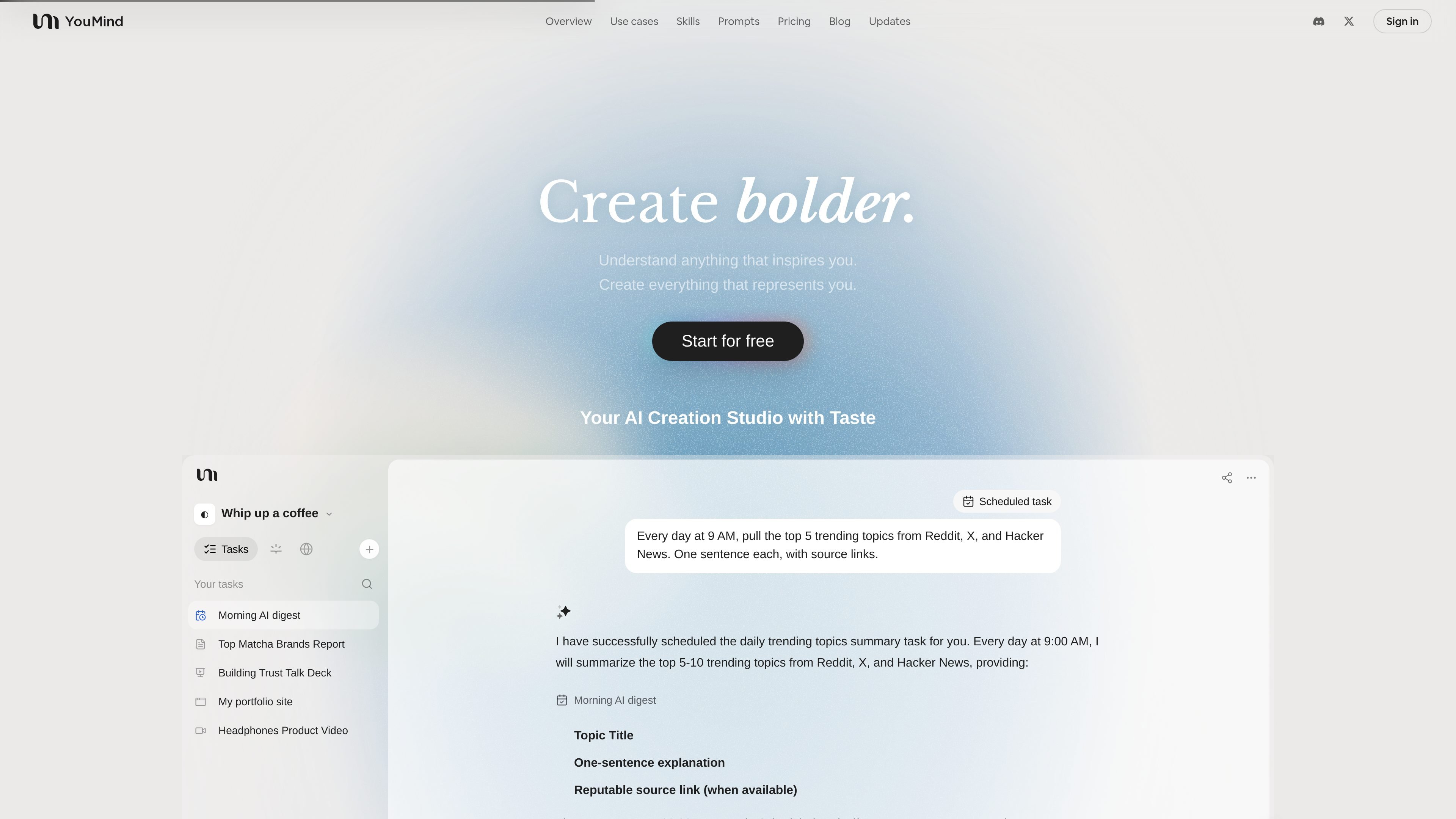
YouMind is an AI creation studio and creation agent that helps people turn scattered source material into finished work. The site positions it as a place to capture things that inspire you, connect the ideas behind them, and shape them into outputs you can share.
The product supports creation across several formats, including writing, slides, webpages, images, audio, and video. The homepage also shows task-based workflows and scheduled tasks, while the pricing page distinguishes a free tier from Pro and Max plans with higher model access and more capacity.
Collect articles, videos, screenshots, notes, and other fragments in one workspace, then use them as raw material for later creation.
Turn collected inputs into written, visual, and presentation-style outputs, including articles, images, slides, webpages, audio, and video.
Use tasks and scheduled tasks to generate recurring outputs, such as a daily trending-topics summary with source links.
Continue from drafts and refine the output so it sounds closer to the user's voice, instead of treating the first result as final.
Access skills from the Skills area, which is described as a partner for learning and creating and includes reusable skills for research, writing, social media, and presentations.
On paid plans, use browser use, MCPs, unlimited file upload and parsing, expanded memory and context, and a skills marketplace to support more complex workflows.
Use YouMind to collect research material, ask for a draft, and then refine it into an article, report, or briefing with the important sources still attached to the work.
Ask YouMind to turn a lesson topic into a presentation or video, then add the tone, examples, or classroom references that fit the audience.
Combine notes, screenshots, and rough ideas into slides, landing pages, or portfolio pieces when you need something presentable quickly.
Use the scheduled task workflow to pull recurring topics from sources like Reddit, X, and Hacker News and turn them into a daily digest.
Keep meeting notes, feedback, and product research in one place so the system can surface themes and support decision-making over time.
YouMind is positioned as an AI creation studio and creation agent for turning collected material, notes, and prompts into finished work. The pricing page also shows a free plan and paid tiers, so it can be used on a free-start basis and upgraded when more capacity is needed.
The site shows YouMind working across writing, images, slides, webpages, audio, and video. It also presents tasks and scheduled tasks, suggesting users can ask it to produce or organize work from a prompt or recurring brief.
YouMind's pricing page lists a Free plan plus Pro and Max plans. The Pro plan adds access to frontier models, unlimited file upload and parsing, MCPs, browser use, a skills marketplace, expanded memory and context, and other creation features; Max includes all Pro features with higher capacity and maximum memory and context.
The source shows features for browser use, MCPs, and a skills marketplace on the Pro plan, but it does not provide setup steps or third-party integration details. For specific connection support, the site material available here is not detailed enough to confirm more.
The pages suggest YouMind works best for people who collect source material and want help turning it into structured outputs, such as reports, lessons, posts, slides, or web pages. The use cases shown include creators, students, teachers, developers, coaches, small businesses, and product managers.

Lasso is an ecommerce product data platform for enriching catalog records, processing supplier files, generating product content, and tracking competitors. It includes a web app, REST API, SDK, and MCP server.

recall is an AI flashcard app that turns reading and notes into study cards with Claude, ChatGPT, or another MCP client. One-time lifetime access with spaced repetition review.

qbrin is an enterprise AI search and governed agent platform that turns company knowledge into cited answers and can abstain when evidence is missing.

Goldfish is an AI memory app for macOS that helps you reply, write, summarize, and continue with context already on your Mac. It stores memory locally and writes in your tone.

Flunkey is a voice-first productivity layer for Windows that turns speech into text, AI outputs, and remembered context without leaving your app.

ArtDeck is a visual reference board app for iPhone, iPad, and Mac. Collect mixed references on one canvas and study them with ToolBox lenses. Offline, optional iCloud sync, one-time purchase.