
Snap or upload dish photos
Upload a phone photo or use older dish photos, even if the starting image is not perfect. The service is designed to work from a simple capture rather than a studio shoot.

BeauPlat is an AI photo tool for restaurants that turns dish photos into polished images for menus, websites, and delivery platforms.
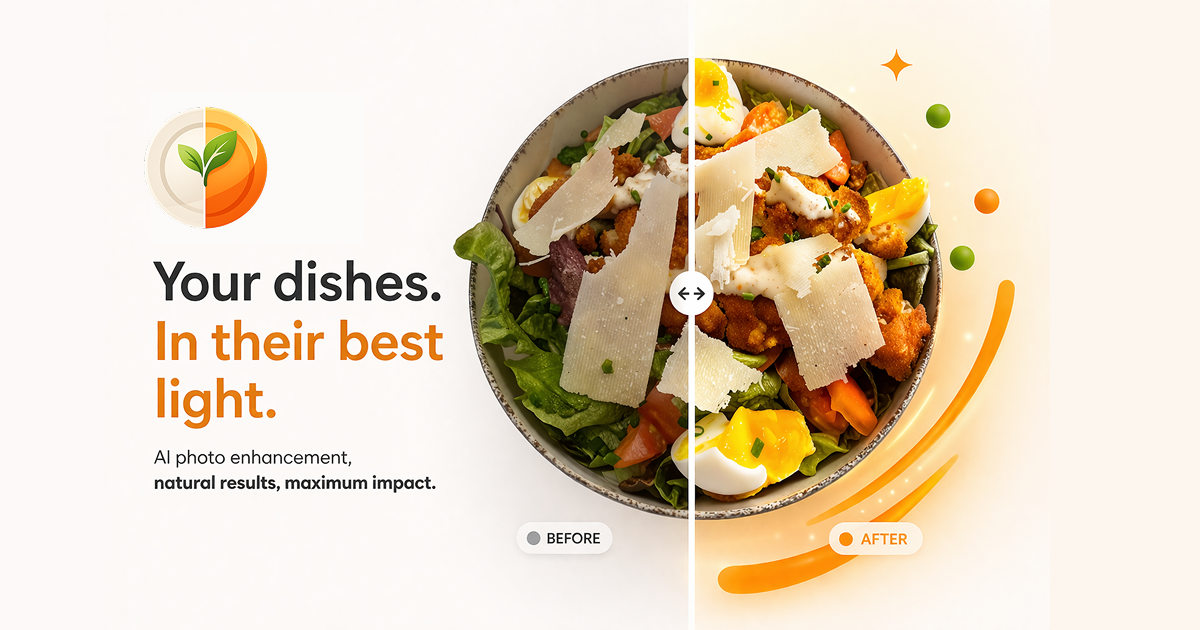
BeauPlat is an AI photo tool for restaurants and food businesses that turns ordinary dish photos into polished visuals for menus, websites, and delivery platforms. The site positions it as a way to improve presentation without booking a photographer or setting up a traditional studio.
Users can upload a phone photo or reuse older images, choose a preset style or a restaurant reference image, and receive a high-definition result in about 30 seconds. BeauPlat emphasizes that it enhances lighting, angle, and sharpness while preserving the plated dish so the final image still reflects what customers will receive.
Upload a phone photo or use older dish photos, even if the starting image is not perfect. The service is designed to work from a simple capture rather than a studio shoot.
Choose from preset visual styles or import a photo of your restaurant to create a custom result that matches the venue's look and atmosphere.
The homepage says the AI enhances lighting, angle, and sharpness while keeping the plating intact, so the output stays close to the original dish.
Generate a high-definition photo that is ready to publish on delivery platforms, websites, social posts, or printed menus.
Store and manage generated photos through the studio experience, with sign-in tied to the same email address so you can find past work.
Use BeauPlat when you need better-looking menu images but do not want to coordinate a photographer, a studio booking, or a long production process.
Improve visuals for Uber Eats, Deliveroo, Just Eat, and similar channels where the site says photo quality can affect conversions and order volume.
Apply a chosen visual style across multiple dishes so your photos look consistent with your restaurant's lighting, colors, and atmosphere.
Reuse older dish photos and turn them into cleaner assets for websites, printed menus, or social posts without starting from scratch.
Generate test-ready versions of dish images for owners who want to compare different styles before publishing a final set.
BeauPlat says it enhances dish photos while preserving the plated dish, ingredients, and proportions. The FAQ states the generated result should match what customers will receive.
Yes. The FAQ says you hold full commercial usage rights for the generated photos, including use on Uber Eats, Deliveroo, Just Eat, your website, social media, and printed menus.
BeauPlat says it works for a wide range of dishes, including burgers, pizzas, desserts, fine dining, bowls, poke, sushi, and world cuisine.
The homepage says the process takes around 30 seconds per photo: take or upload a photo, choose a style, then download the high-definition result.
No. The pricing section says BeauPlat uses credit packs instead of a subscription, and credits are valid for life with no auto-renewal.

Upscale.media is an AI image upscaling and enhancement tool by Pixelbin that sharpens low-resolution images in the browser, with bulk processing and API support.

Let's Enhance is an online AI image app for enhancing, upscaling, and restoring photos. Clean up images and boost resolution with free credits or paid plans.

ImgUpscaler is a browser-based AI image upscaler that enlarges photos, anime, product images, portraits, and old pictures by 2x or 4x.

VanceAI Image Resizer is an AI image enlargement tool for resizing photos online or in the desktop app while preserving detail.

Pixelcut is an AI photo editor for product images, social content and video assets. Free and paid plans; mobile app and browser access for individuals and teams.

Free browser-based AI image enlarger by PhotoAid for upscaling JPEG, WEBP, and PNG photos, especially portraits, without heavy blur.