
Standalone handheld format
Use the microphone as a self-contained handheld performance mic with built-in effects and sample triggering, without needing a separate processor for basic operation.

EP–2350 FX–MIC is a handheld performance microphone with built-in effects, sample triggering, and live sound controls. Runs on batteries or USB-C.
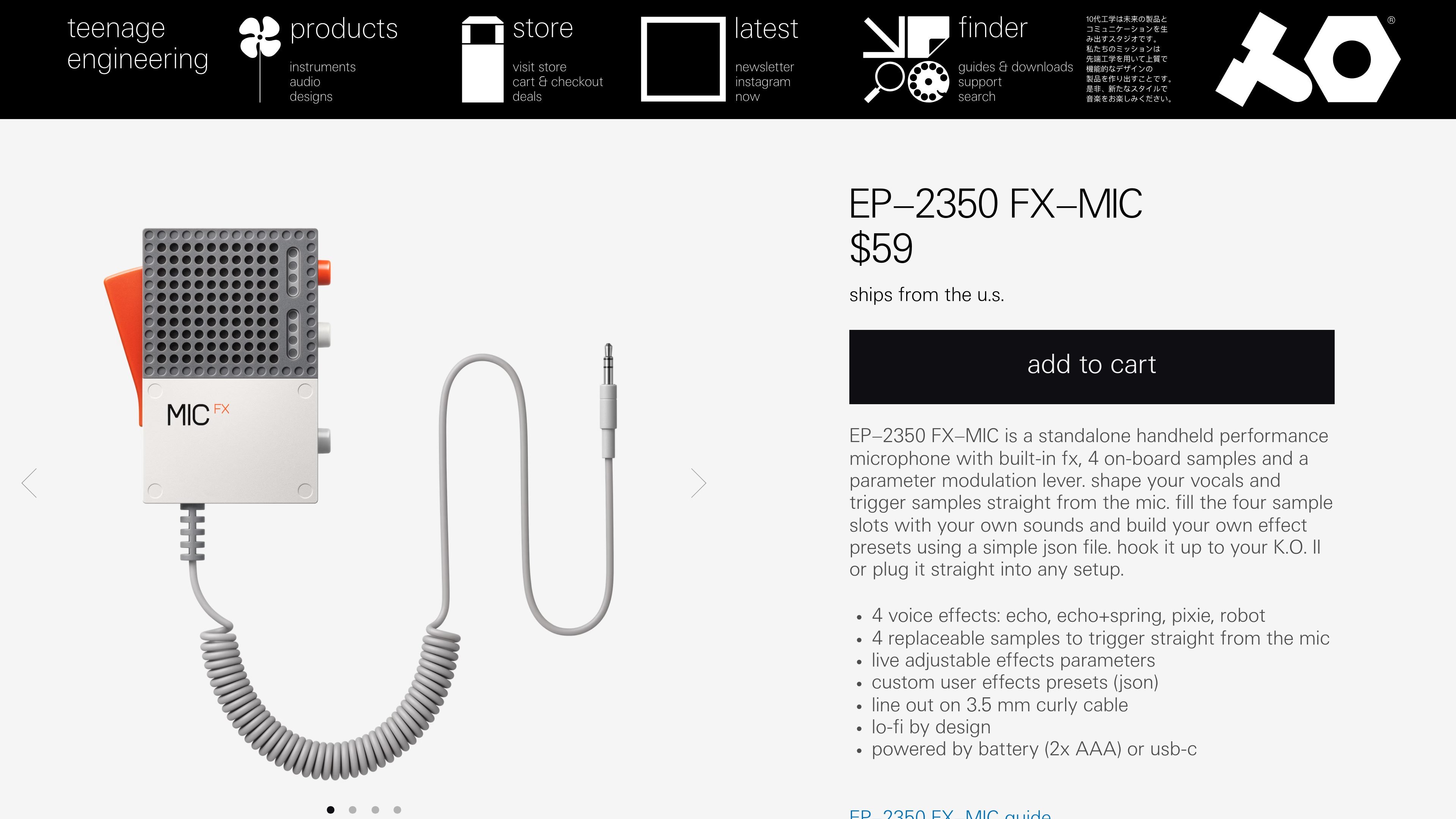
EP–2350 FX–MIC is a handheld performance microphone designed to add effects and sample triggering directly at the microphone. Teenage Engineering describes it as a standalone unit with built-in effects, four on-board samples, and a parameter modulation lever, aimed at vocal processing and live triggering without extra gear.
The product can be used on its own or connected to a K.O. II, and the guide says it can also connect to an audio mixer. Its workflow centers on replacing the four sample slots with your own sounds, switching among the built-in effect presets, and shaping the response live while performing.
Use the microphone as a self-contained handheld performance mic with built-in effects and sample triggering, without needing a separate processor for basic operation.
Choose from four onboard voice effects: echo, echo+spring, pixie, and robot.
Load and trigger four replaceable samples directly from the microphone, with the guide stating 1 MB of sample storage.
Shape the sound in real time using the parameter modulation lever and the handle position, which change effect behavior while performing.
Build custom effect presets with a simple JSON file, allowing the device to store user-defined effect settings.
Connect by 3.5 mm line out with a curly cable, and power the unit with 2x AAA batteries or USB-C.
For vocal performers who want to add character live, the microphone lets you switch effect presets and move the modulation lever while singing or speaking.
For sample-based performances, you can load sounds into the four sample slots and trigger them from the microphone itself during a set.
For users building a portable setup, the unit can be powered by batteries or USB-C and connected by line out to a broader audio chain.
For K.O. II owners, the product is positioned as something you can hook up directly to the device as part of a combined performance workflow.
For users who want customized sound design, the guide supports making effect presets from a simple JSON file rather than relying only on the factory sounds.
The EP–2350 FX–MIC can be powered by 2x AAA batteries or over USB-C. The guide says batteries are not charged over USB-C, and the unit stays powered while a USB-C cable is connected.
The product page says it can be hooked up to a K.O. II or plugged into any setup. The guide also says it is designed to connect to a K.O. II or an audio mixer, not directly to headphones.
The microphone includes four built-in effect presets: echo, echo+spring, pixie, and robot. The effect amount can be adjusted with the handle position, and the sound can also be modified by shaking the mic in a preset-dependent way.
The FX–MIC has four replaceable sample slots, and the guide notes 1 MB of sample storage. The store page says you can fill the slots with your own sounds and trigger them from the microphone.
The guide says the orange button selects between no effect and the four effect preset slots, while the white button selects between the sample slots. The user guide should be consulted for the full workflow.

CAMB.AI Streams dubs live audio in real time for YouTube, Twitch, X and other platforms, using existing live workflows and no post-production.

LALAL.AI is an AI audio processing platform for stem separation, voice cleanup, and voice transformation, with browser upload, preview, and download.

optimo is a free, open-source CLI for optimizing and converting images and videos with ImageMagick and FFmpeg, built for web assets and batch compression.

Kits AI is an AI music production platform for voice cloning, vocal generation, and vocal processing. Free plan, paid tiers, and Windows app.

Converleon is an offline Mac file converter for images, video, audio, documents, PDFs, and archives, with batch conversion and no uploads.

ElevenMusic is a web-based music platform to discover tracks, remix music, and create original songs with prompt-led mood tags and account-based saving.