Growth Opt Playbook icon

Growth Opt Playbook

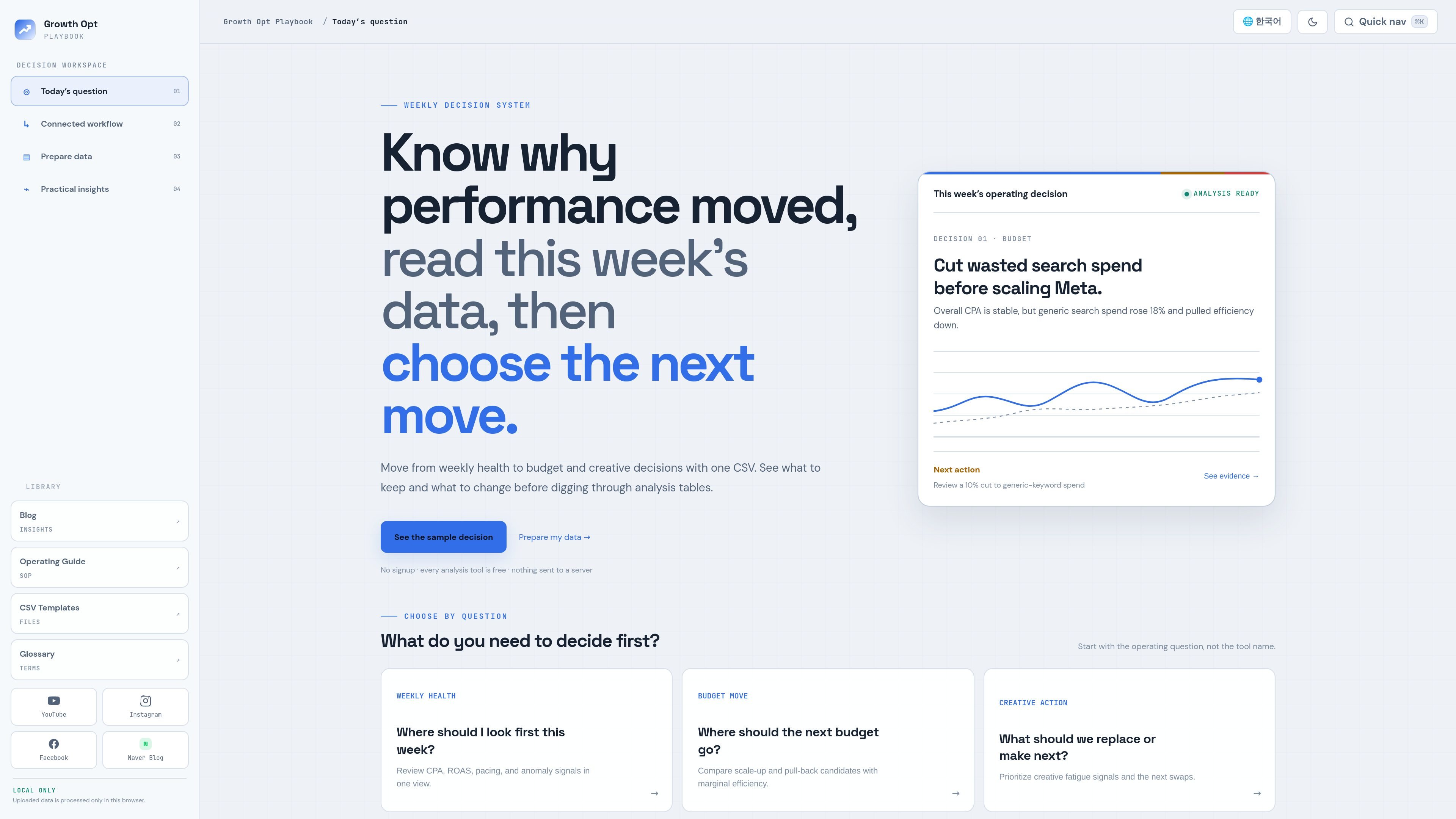
Growth Opt Playbook is a free browser-based marketing data analysis toolkit for performance marketers. Upload CSVs or use Google Sheets to review campaign health, budget allocation, creative performance, and experiments.

Growth Opt Playbook

Overview

Growth Opt Playbook is a browser-based marketing data analysis toolkit for performance marketers. It lets users upload a campaign CSV or connect a Google Sheet, then analyze campaign health, budget allocation, creative performance, experiments, and longer-term marketing response.

The site organizes its tools into a clear decision workflow: monitor weekly performance, explain changes, choose budget or creative actions, prove effects with tests, and learn from response analysis. The tools are presented as free to use, with the source data kept in the browser rather than sent to a server.

Core capabilities

Browser-based campaign analysis

Upload a campaign CSV and review spend, installs, CPI, ROAS, pacing, anomaly signals, and other scorecard outputs in the browser. The dashboard page shows these results against sample data before you replace it with your own file.

Stage-based decision workflow

The site groups tools into stages such as monitor, explain, choose, prove, and learn. That structure supports weekly review, diagnosis, budget decisions, experimentation, and longer-term learning in one workflow.

CSV and Google Sheets templates

Templates are provided for several tool families, including operations dashboard, budget allocation, campaign performance variance, campaign saturation, creative analysis, experiment analysis, and marketing response analysis. The templates page notes which tools share a unified CSV format.

Column mapping and data validation

The dashboard supports column mapping so uploaded data can be aligned with standard fields such as date, platform, channel, campaign name, cost, impressions, clicks, installs, and revenue fields. The page says required columns are mapped before analysis begins.

Operating guides and SOPs

The guide section organizes SOPs for tracking foundation, campaign execution, creative, and analysis. Those guides cover topics such as MMP infrastructure, postbacks, iOS privacy, app campaign operations, ASO basics, and KPI analysis.

Specialized analysis modules

The product pages mention tools for creative fatigue, budget allocation, variance decomposition, A/B tests, incrementality, MMM-style response analysis, and content element analysis. These are presented as distinct analysis modules rather than a single generic report.

Practical use cases

  • Weekly campaign health checks

    Review CPA, ROAS, pacing, and anomaly signals for the current week, then decide what needs attention first. This matches the product’s monitor stage and operations dashboard workflow.

  • Performance change diagnosis

    Break down a performance shift into volume, efficiency, or mix effects to understand why results moved. The variance analysis tools are positioned for this diagnostic step after monitoring.

  • Budget allocation decisions

    Compare scale-up and pull-back options, or estimate response curves for budget allocation. The site also includes a saturation tool to help identify when efficiency may deteriorate as spend increases.

  • Creative refresh planning

    Evaluate creative fatigue and identify which creative variants should be replaced or produced next. The creative analysis tool and the creative guides point to this as a separate decision step.

  • Experiment validation

    Design and interpret A/B tests or incrementality checks using dedicated analysis tools. The product positions these tools in a prove stage for validating whether an observed difference is real.

Pros and Cons

Pros

  • Free performance marketing toolkit, according to the homepage and pricing page.
  • Supports CSV upload and Google Sheets-based workflows for analysis.
  • Keeps source data in the browser and says it is not sent to a server.
  • Offers a structured workflow that spans monitoring, diagnosis, testing, and learning.
  • Provides templates and operating guides to help users prepare data and follow the process.

Cons

  • The public pages do not provide a full feature specification for every tool, so some capabilities and limits remain unclear.
  • The source does not show a conventional published pricing table; pricing details beyond the free positioning are not visible in the supplied pages.
  • Some tools use different data grains, so not every analysis shares the same CSV template or workflow.

FAQ

Is Growth Opt Playbook free to use?

The site presents Growth Opt Playbook as a free performance marketing analysis tool that works with campaign CSV files and Google Sheets. The homepage and templates page both emphasize browser-based analysis rather than an uploaded-data account workflow.

Can I use CSV files or Google Sheets with the product?

The source pages show CSV upload as the core workflow, and the templates page explains how to use the same template in Google Sheets and connect a shared viewer link in the app. The homepage also says you can connect a Google Sheet, but the exact supported integrations beyond that are not described in the source.

Is uploaded data sent to a server?

Yes. The templates page says uploaded CSV data is processed and discarded in the browser and is not sent to or stored on a server. The pricing page repeats that the product does not send original data to a server.

Who is the product for?

The site includes operating guides for tracking setup, campaign execution, creative work, and analysis, which suggests the product is designed for marketing teams that need a repeatable analysis and reporting workflow. The browser-based tools also support individual analysts working from their own campaign data.

How does setup work?

The dashboard page says the first step is to upload a CSV, map columns, and start analysis. The templates page adds that some tools share a unified CSV format, while others use different data grains such as event-level or holdout-level data.

Quick Facts

Category
Marketing data analysis
Primary workflow
Upload CSV or connect Google Sheets, map columns, and run analysis
Main users
Performance marketers and marketing operations teams
Source domain
growthoptplaybook.com
Notable privacy note
Original data stays in browser memory and is not sent to a server
Pricing signal
Positioned as free in the source pages