
CSV and browser workflows
Upload a CSV with a column of LinkedIn profile URLs for bulk generation, or use the browser flow for individual URLs.

Hot Reach AI generates personalized first lines for cold outreach from LinkedIn profile URLs. It supports CSV bulk upload or browser-based single-URL use and charges credits rather than a subscription.
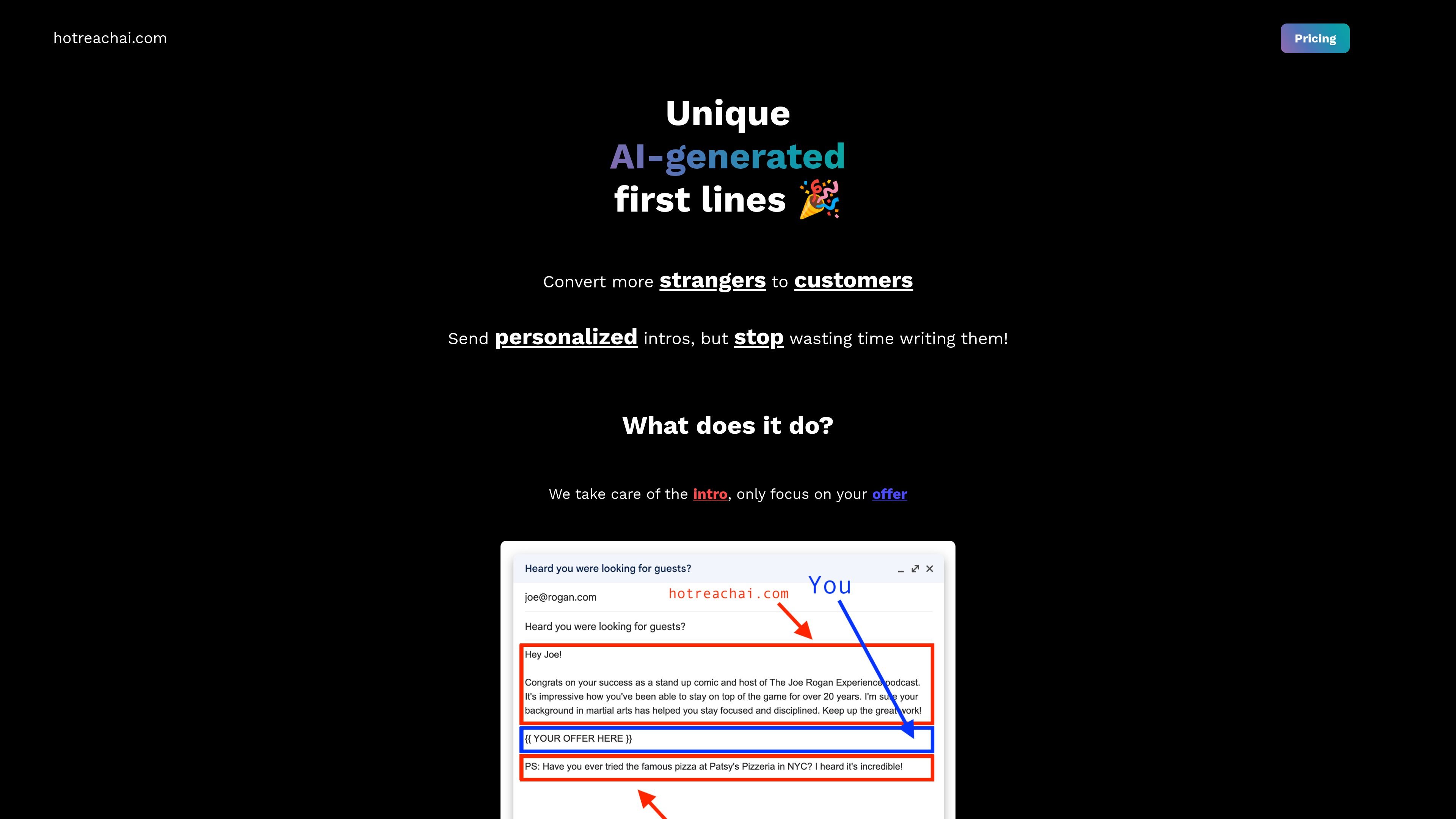
Hot Reach AI is a cold outreach copy tool that generates personalized first lines for LinkedIn profiles. The homepage positions it as a way to spend less time writing introductions while still adding a personal opening to outreach messages.
Its published workflow is straightforward: upload LinkedIn profile URLs in CSV form for bulk mode or paste a profile URL in the browser, let the system generate first lines, and then download the enriched CSV or review the results in your account. The site also frames the product around the idea that personalized intros can help cold email response rates compared with generic outreach.
Upload a CSV with a column of LinkedIn profile URLs for bulk generation, or use the browser flow for individual URLs.
The product generates first lines for cold outreach and appends the results to your CSV file.
The site describes a simple three-step process: upload profile URLs, generate first lines, then download the enriched CSV.
The generated first lines are saved in your account for later access after processing.
If a LinkedIn profile cannot be processed, the system automatically refunds the credit used for that profile.
Sales or outbound teams can prepare personalized openers for a list of prospects by uploading a CSV of LinkedIn profile URLs and downloading the enriched file afterward.
An individual sender can paste a single LinkedIn profile URL in the browser when they only need a few personalized intros instead of a full CSV workflow.
Users who want to improve email openings can generate a first line that references a prospect’s profile before writing the rest of the outreach message.
Teams that need to work quickly can rely on the product’s short processing flow to turn a list of URLs into ready-to-use first lines within a few minutes.
No. The site says the product is not a subscription; it uses credits that you pay for and then use on requests.
No. The FAQ says you can use the browser flow by copy-pasting a LinkedIn profile URL, so CSV upload is optional for bulk use rather than mandatory.
Processing time depends on the size of the upload, and the site says to expect a couple of minutes.
If the system cannot generate first lines for a LinkedIn profile, the site says credits are automatically refunded for that profile.
Support is available through @edrick_dch on Twitter or via the chat icon on the site.

Artisan is an AI outbound sales platform built around Ava, an autonomous AI BDR for B2B teams. It helps teams discover leads, personalize outreach, handle replies, and book meetings across cold outbound, reactivation, and account growth workflows.

Podium is an AI lead generation and lead management platform for local businesses. It centralizes lead conversations, automated follow-up, reviews, payments, and booking, with a 24/7 AI Employee available as an add-on.

Chloe is Close CRM’s built-in AI sales teammate for calling leads, qualifying prospects, booking meetings, following up, and updating records automatically. It helps sales teams work faster without adding a separate tool or seat.

Liam is an AI copilot for managing inboxes, writing replies, prioritizing email, and scheduling meetings. It is offered free for individuals, with custom pricing for teams and enterprise.

AgentMail is an email inbox API for AI agents that lets developers create, send, receive, and search messages through REST APIs and SDKs. It supports agent workflows such as threaded replies, verification, customer support, scheduling, and inbox-based approvals.

ClawCard gives AI agents a dedicated identity stack: email, US phone number, virtual cards, wallet, on-chain identity, and access to paid APIs. It is built for automated signups, checkouts, credential storage, and machine payments through CLI and REST workflows.