ima.copilot icon

ima.copilot

ima.copilot is Tencent AI workbench for search, reading, and writing in one knowledge-base workflow, built for study and office content.

ima.copilot

Overview

ima.copilot, also called ima, is a Tencent AI workbench built around a knowledge base. The homepage describes it as a search, reading, and writing tool for people who need to gather information, process it, and turn it into usable content for learning or office work.

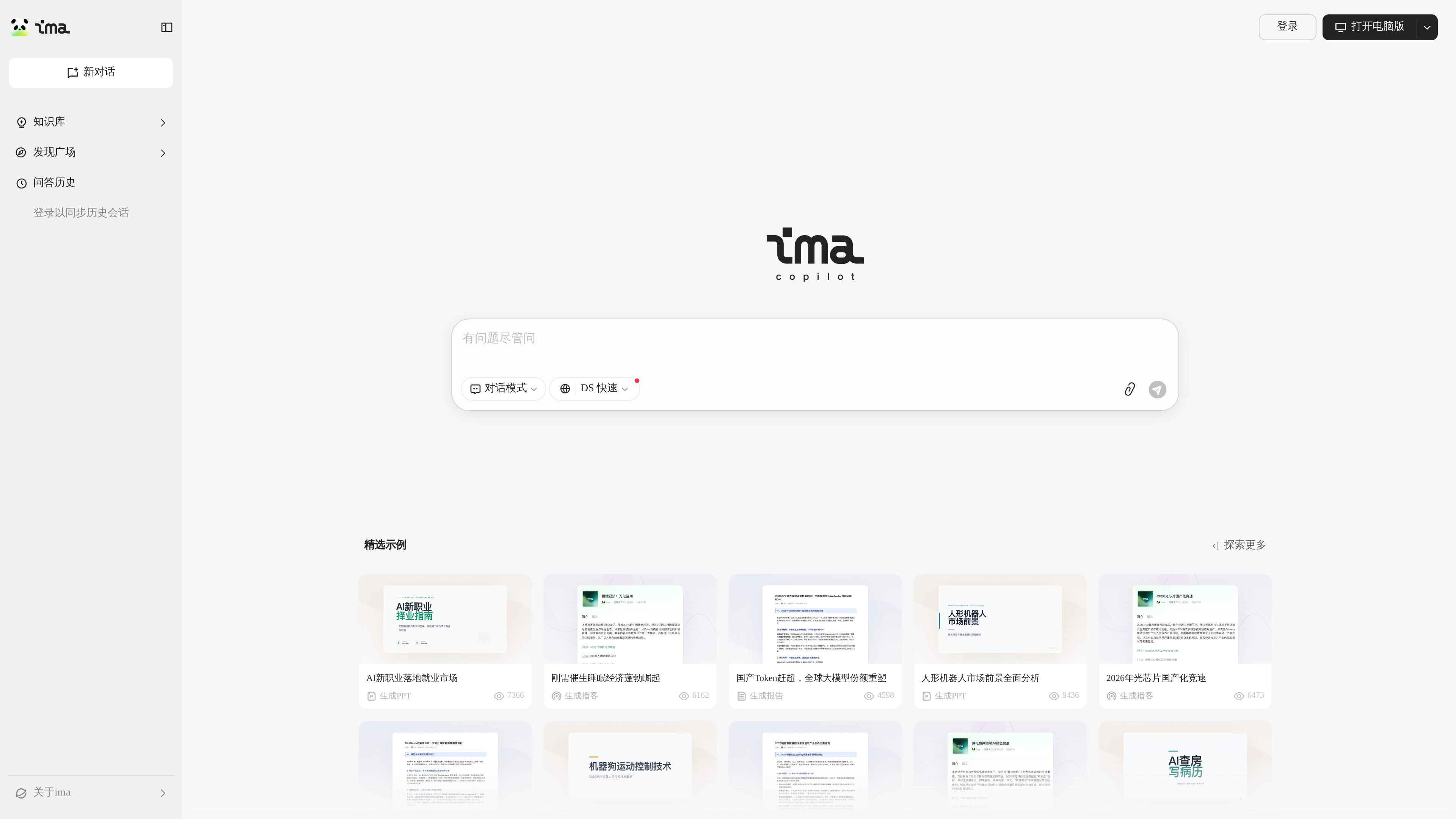
The product page says it has connected Tencent Hunyuan and the full DeepSeek R1 model. The visible interface emphasizes knowledge-base workflows, conversation history, a discovery area, and example tasks such as generating reports, PPTs, and podcasts.

Core capabilities

Knowledge-base centered workflow

The product is centered on a knowledge base, so users can organize source material before asking the assistant to work from it. This makes the workflow more suitable for knowledge-heavy tasks than for one-off chat alone.

Search, read, and write in one workspace

The homepage presents search, reading, and writing as a single workflow. That suggests the product is meant to move from finding information to understanding it and then producing output in one place.

Multiple model support

ima.copilot is connected to Tencent Hunyuan and the full DeepSeek R1 model. The source indicates model support, but does not describe manual model switching or advanced tuning controls.

Structured content generation

The homepage surfaces content-generation examples such as report generation, PPT generation, and podcast generation. These examples show that the tool is designed for structured output, not just short answers.

Discovery and history access

The interface includes a discovery area and conversation history/login entry points. That points to a product designed for repeated reference and revisiting past work.

Common use cases

  • Organizing reference material

    Use ima.copilot to collect notes or reference material into a knowledge base, then ask questions against that context when you need to revisit a topic later.

  • Research and synthesis

    Use the search, reading, and writing workflow to move from source review to a finished memo, summary, or briefing without switching between separate tools.

  • Drafting office deliverables

    Use the visible generation examples as a starting point for work products such as reports, presentations, or audio-style content when you need a structured first draft.

  • Continuing earlier work

    Use the history and login-related features to return to previous conversations and continue an ongoing task or study thread.

Pros and Cons

Pros

  • Centers work around a knowledge base rather than a generic chat box.
  • Combines search, reading, and writing in one product flow.
  • Shows support for both Tencent Hunyuan and DeepSeek R1 models.
  • Highlights concrete output types such as reports, PPTs, and podcasts.

Cons

  • The pricing page returns a 404, so the public site does not currently expose pricing or plan details at that URL.
  • The homepage does not clearly document integrations, export options, or collaboration features.
  • Several capabilities are shown through interface labels and examples rather than detailed product documentation, so some workflow details remain unclear.

FAQ

What is ima.copilot used for?

ima.copilot is described as an AI workbench centered on a knowledge base, with search, reading, and writing in one workflow. The source does not show a separate setup process beyond opening the web product or using the desktop client.

Which models does ima.copilot use?

The homepage says it has connected Tencent Hunyuan and the full DeepSeek R1 model. The source does not provide model selection details, usage limits, or routing rules.

Can it be used across devices or sessions?

The page shows knowledge-base, dialogue, and history/login-related entry points, which suggests the product is meant for ongoing personal or work use with synchronized conversation history. It does not provide a confirmed team administration or shared-workspace model on the homepage.

What kinds of outputs can it help generate?

The homepage highlights content-generation examples such as reports, PPTs, and podcasts. The product page does not list export formats or delivery channels in detail.

Quick Facts

Category
AI Workbench
Primary use
Knowledge retrieval, reading, and content generation
Models mentioned
Tencent Hunyuan and DeepSeek R1
Platform
Web product, with a desktop client download prompt visible on the homepage
Source domain
ima.qq.com
Pricing
No public pricing details found; pricing URL returns 404