
Local file access
Kimi Work is presented as a local agent that can mount and work with local folders, making it suitable for file-based workflows such as finding documents, summarizing them, and leaving originals in place.

Kimi Work is a desktop AI agent for knowledge workers, with local file access, browser automation, scheduled tasks, and agent swarming for workflow automation.
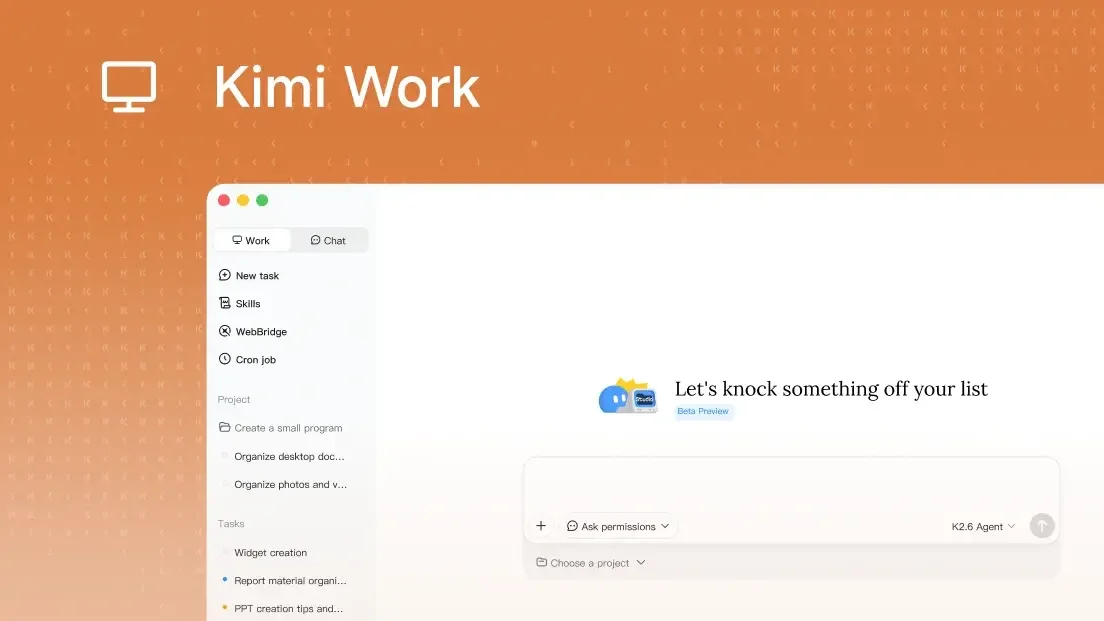
Kimi Work is a desktop AI agent for knowledge workers. The product page positions it as a local agent that connects to local files, can automate browser tasks, runs around the clock, and is designed to handle workflows that go beyond quick chat.
It combines file access, browser automation through WebBridge, scheduled execution through a built-in Cron engine, and Agent Swarm for splitting larger tasks into parallel steps. The site also highlights finance-related workflows, including access to market data for A-shares, Hong Kong stocks, and US equities.
Kimi Work is presented as a local agent that can mount and work with local folders, making it suitable for file-based workflows such as finding documents, summarizing them, and leaving originals in place.
The built-in Cron engine can run repetitive jobs on a schedule, including LLM agent calls, Python scripts, and shell commands.
WebBridge connects Kimi Work to a browser extension and local service so the agent can navigate, click, fill, and extract data from pages in Chrome or Edge.
Agent Swarm coordinates multiple specialized agents so Kimi can split complex work into parallel steps and then turn the result into office outputs such as PowerPoint decks or Excel sheets.
Kimi Work includes native market data sources for A-shares, Hong Kong stocks, and US equities, with examples focused on earnings reports, anomaly analysis, and spreadsheet reconciliation.
Search a local workspace for documents, collect matching PDFs, and produce a summary without moving the originals.
Use the browser agent to research a topic, compare options across pages, and extract the needed details from the web.
Schedule recurring jobs such as morning briefings, periodic data processing, or shell and Python scripts that should run unattended.
Break a larger project into multiple agent steps, then convert the results into a PowerPoint deck or Excel workbook.
Pull market data and reports for A-shares, Hong Kong stocks, or US equities to support financial analysis and spreadsheet reconciliation.
Kimi Work is the desktop, local-agent version of Kimi. The web app is positioned for quick chat and queries, while Kimi Work is built for deeper workflows that use local folders, browser automation, background Python execution, and scheduled tasks.
Kimi Work includes an Ask before acting safeguard. Before it modifies, overwrites, or runs code in local directories, it prompts for explicit authorization unless you choose otherwise.
WebBridge lets Kimi use a browser like a person: it can navigate pages, click, scroll, fill forms, extract data, and move through multi-step web tasks in Chrome or Edge.
The Cron scheduler supports LLM agent calls, Python or shell execution, and conditional or time-based triggers such as daily or hourly runs. The product also mentions a Keep Computer Awake option for overnight automation.

ArtDeck is a visual reference board app for iPhone, iPad, and Mac. Collect mixed references on one canvas and study them with ToolBox lenses. Offline, optional iCloud sync, one-time purchase.

Goldfish is an AI memory app for macOS that helps you reply, write, summarize, and continue with context already on your Mac. It stores memory locally and writes in your tone.

Dcyde is a shared decision log for product teams to capture what was decided, why, and the source, with searchable records from Slack, Figma, or Dcyde.

Lasso is an ecommerce product data platform for enriching catalog records, processing supplier files, generating product content, and tracking competitors. It includes a web app, REST API, SDK, and MCP server.

Biji is a versatile platform designed to enhance productivity through innovative tools and features.

Codex Plugins bundle reusable skills, app integrations, and MCP servers into workflows you can install in the Codex app or use from Codex CLI.