
Unlimited form creation and responses
Create unlimited forms, form fields, and responses without caps, making it suitable for high-volume collection.

Kiwiform is a web-based form builder and free Typeform alternative for creating conversational forms, collecting responses, and routing submissions into common tools. It supports logic, embeds, templates, autosave, and AI-assisted draft creation.
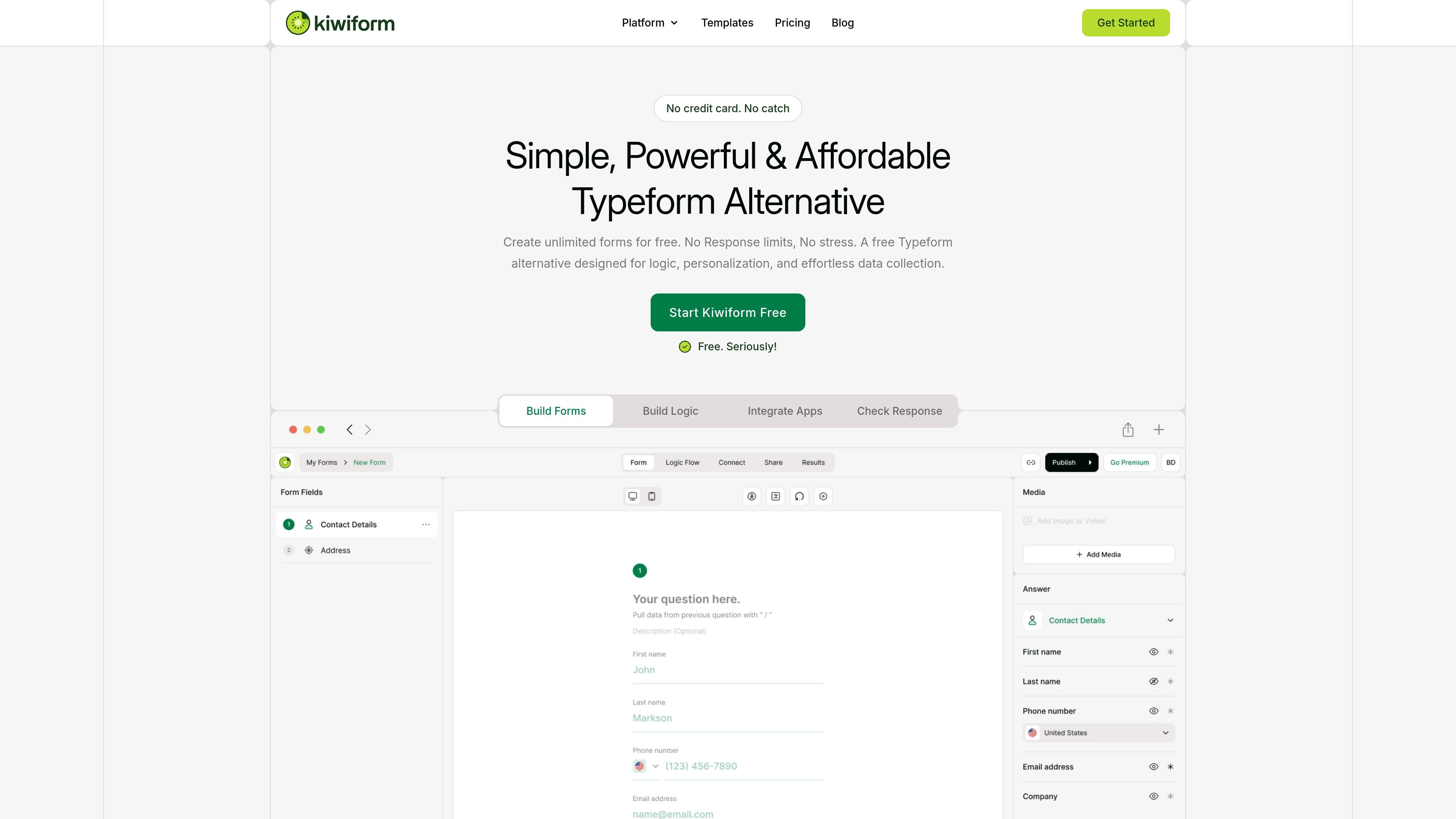
Kiwiform is a form builder positioned as a free Typeform alternative. It is designed for collecting data through conversational forms, with support for unlimited forms and unlimited responses on its free plan.
The product combines form building, logic, personalization, embeds, templates, and response handling in one tool. The site also highlights an AI form builder called Kiwizard that can turn a prompt into a structured form draft, along with autosave, multilingual forms, and spam protection.
Create unlimited forms, form fields, and responses without caps, making it suitable for high-volume collection.
Build conversational forms with step-by-step flows, essential fields, ratings, rankings, matrix questions, file uploads, and payment collection.
Use conditional logic, branching, custom variables, quiz variables, and answer recall to personalize each respondent’s path.
Share forms by link, QR code, embeds, email embeds, or customized website embeds for common site builders.
Connect responses to Zapier, Google Sheets, Google Drive, Slack, Notion, Airtable, Calendly, Stripe, webhooks, analytics tools, and email notifications.
Use themes, fonts, colors, logos, backgrounds, alignment controls, and branding removal to match the form to your site or brand.
Create lead capture forms with branching questions, branded design, and integration hooks that send submissions into your existing workflow.
Build surveys, feedback forms, and market research questionnaires that use ratings, rankings, matrix fields, and analytics to organize responses.
Set up registrations and sign-up flows for events, sessions, or programs using embeds, QR codes, and response notifications.
Draft quizzes or guided questionnaires with logic, quiz variables, and multiple endings for different respondent paths.
Collect files, partial responses, or form submissions from public pages while using spam protection and duplicate prevention to reduce noise.
Kiwiform is a modern form builder for creating conversational forms that collect data through a simple, guided flow.
Yes. The site states that Kiwiform lets you create unlimited forms and collect unlimited responses with no hidden caps or trial limits.
Yes. Kiwiform supports conditional logic and branching so form paths can change based on how respondents answer.
Yes. Kiwiform forms can be embedded on websites, landing pages, and supported platforms.
Yes. The site says responses are saved automatically, including partial submissions depending on your setup.

Make Real is a Next.js app that turns hand-drawn wireframes into working HTML prototypes using the tldraw SDK and AI models. It helps users sketch on a canvas, generate code, and review the result in an embedded preview.

VForms lets you place questionnaires directly inside YouTube videos so viewers answer in context instead of switching to a separate form. It is aimed at collecting feedback and insights through timestamped, embeddable video forms.

FigPrompt is an AI tool for creating production-ready Figma plugins from a written description. It helps Figma users move from idea to plugin logic without writing code.

UserCall’s Research Triggers lets teams invite users into short AI-moderated interviews at key product moments such as signup, onboarding drop-off, cancellation, or checkout abandonment. It helps product, research, and insights teams capture contextual feedback while the experience is still fresh.

Radian is an open-source React, Radix, and Tailwind component library for building web interfaces with documented Next.js setup and reusable UI blocks. It focuses on practical component reuse, CLI installation, and design-to-code consistency.

Fronty is an AI-powered web app that converts screenshots and image files into HTML and CSS, with no-code editing and hosting to refine and publish your site.