

Pixelbin
Pixelbin.io is a free online AI photo editor for cropping, enhancing, and changing backgrounds, plus AI image/video generation and a mobile app.
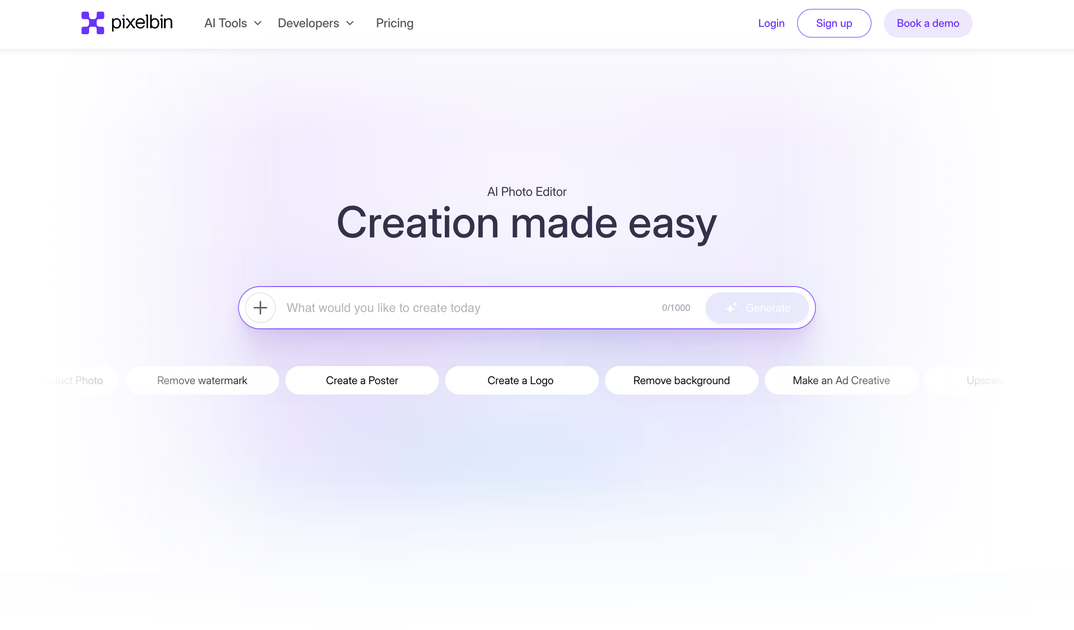
What is Pixelbin AI Photo Editor?
Pixelbin (pixelbin.io) is a free online AI photo editor that lets you upload images and edit them using tools such as cropping, enhancement, and background changes. The site also includes an AI media generator that can create images and videos.
In addition to the web editor, the product also has a mobile app for editing, so you can work across devices.
Key Features
- Online image editor for uploaded photos: Edit images directly in the browser after uploading.
- Crop and enhance tools: Modify framing and improve image appearance using built-in editing options.
- Background editing: Add or change the background of your images.
- AI image generation: Create new images from prompts using Pixelbin AI.
- AI video creation: Generate videos through the same media generator area of the site.
- Bulk editor: Use a bulk workflow for creating or editing multiple items in one session (presented as “Bulk Editor” on the site).
How to Use Pixelbin
- Go to pixelbin.io and select the photo editor experience.
- Upload an image (the interface shows an upload step) and then use editing tools such as crop, enhance, or background changes.
- If you want AI generation, switch to the AI media generator flow to create image or create video.
- For larger batches, use the bulk editor option to work with multiple items.
Use Cases
- Quick photo cleanup for social posts: Upload a photo, crop it for composition, enhance it, and change the background to match a desired look.
- Product or lifestyle mockups: Replace a distracting background with a cleaner setting, then refine the image for consistency.
- Content generation for campaigns: Create new images (and optionally videos) from prompts to explore concepts without starting from existing assets.
- Batch editing for a set of photos: Use the bulk editor to apply a workflow across multiple images during the same project.
- Try-and-iterate visual concepts: Generate alternative versions and adjust image edits to quickly converge on a final composition.
FAQ
- Is Pixelbin free to use? The page describes Pixelbin as a free online photo editor.
- Can I edit images in the browser? Yes. The site provides an online editor where you upload images and edit them.
- What kinds of edits are available? The page mentions crop, enhance, and add/change background.
- Does Pixelbin also generate videos? Yes. The AI media generator includes a create video option.
- Is there a mobile version? The page states that a mobile app is also available for editing.
Alternatives
- Web-based image editors (non-AI or limited AI): Use cases are similar for cropping/adjusting photos, but they may not include built-in AI image/video generation.
- General-purpose design tools with photo/background features: Often support background changes and image enhancements, but may require more manual steps compared with an AI generator workflow.
- Dedicated AI image generation platforms: Focus primarily on AI creation; they may not offer the same integrated, browser-based photo editing tools (crop/enhance/background) in one flow.
- Video generation tools: Useful when video output is the main goal; they may require separate handling from photo editing and background changes.
Alternatives

Pixelcut
Easy-to-use AI tools to make your photos stand out!

SnapEdit
SnapEdit is an AI online photo editor for quick retouching—remove objects, remove backgrounds with templates, enhance photos & HD export.

Airbrush
Airbrush is an AI-powered portrait editor to enhance, retouch, erase, remove backgrounds, and reshape photos—online and via mobile/desktop apps.

Aaavatar
Aaavatar is a Mac tool for team portrait photos—one-drop background removal, background customization, and one-click retouching for export to LinkedIn and Slack.

Upscale.media
Upscale.media AI image enhancer upscales photos (2x/4x) and improves clarity with sharpening, deblurring, dehazing, portrait face enhancement, and restoration.

PhotoAid AI Image Enlarger
Resize images online without losing quality using advanced AI technology.