

S3nding
S3nding lets you upload files to your own S3-compatible bucket and generate shareable links instantly—no subscriptions or lock-in.
What is S3nding?
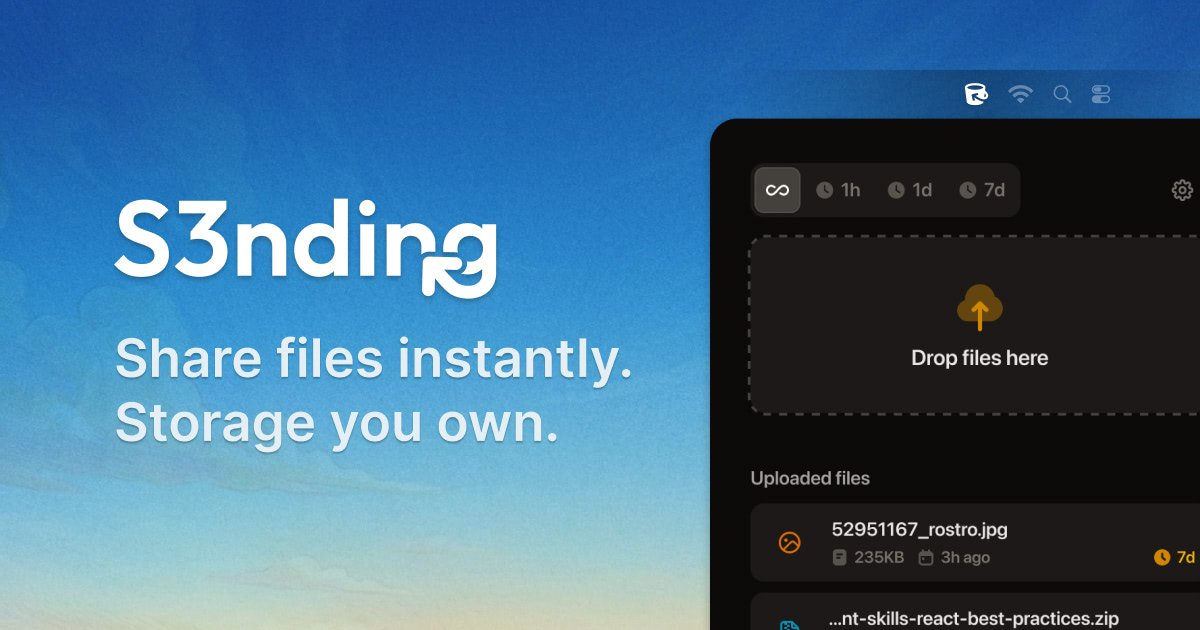
S3nding lets you upload files to your own S3-compatible bucket and generate shareable links instantly—no subscriptions or lock-in. After connecting your S3 credentials, you upload via drag & drop (using the S3 API) and S3nding copies a link to your clipboard for you to send. The service is designed to work with AWS S3 and other S3-compatible providers.
Key Features
- Upload files directly to your S3 bucket via drag & drop, with the upload performed through the S3 API.
- Instant share links copied to your clipboard after upload, so you can send files without additional dashboards or approvals.
- Compatibility with AWS S3 and any S3-compatible storage provider, including DigitalOcean Spaces, Cloudflare R2, Backblaze B2, Wasabi, MinIO, and Hetzner storage.
- Share link controls including public/private access and time-limited links (expiring after 1 hour, 1 day, 7 days, or never).
- Unlimited uploads and file size defined by your bucket’s limits (rather than a SaaS-defined cap).
- No subscription model described on the page: a one-time purchase with lifetime updates.
How to Use S3nding
- Connect your S3 bucket by adding your S3 credentials once.
- Upload a file using drag & drop; S3nding uploads it to your bucket.
- After upload, S3nding copies a shareable link to your clipboard automatically.
- Send the link to the recipient(s) using Slack, email, WhatsApp, or your project tool.
Use Cases
- Developers & DevOps sharing build outputs: share logs, builds, artifacts, binaries, and exports to teammates without granting access to a separate storage platform.
- Designers & creators sending large media exports: deliver large images or video exports without additional compression or size caps beyond what your S3 bucket allows.
- Freelancers & agencies delivering assets to clients: send files directly via a link instead of using “request access” workflows.
- Internal teams collaborating on shared resources: distribute assets over common messaging and communication tools with links generated instantly.
FAQ
Do I need AWS?
No. S3nding is described as working with AWS S3 and any S3-compatible storage provider.
Are there file size limits?
The page states that unlimited uploads are supported and that file size is defined by your S3 bucket’s limits.
Does S3nding store my files?
The page positions S3nding as uploading to your own S3 bucket; it does not describe S3nding as an additional storage location.
Is it a subscription?
No subscription fees are stated. The page describes a one-time purchase with lifetime updates.
Can shared links expire?
Yes. The page lists expiring share links for 1 hour, 1 day, and 7 days, plus an option for links that do not expire.
Alternatives
- Use a general-purpose cloud storage sharing flow (e.g., uploading to a drive and sharing a link): this can be simpler, but it typically ties you to that provider’s storage and account model.
- Self-hosted object storage plus a separate sharing mechanism: if you already manage S3-compatible storage, you can build or use another tool to generate links while keeping storage under your control.
- File transfer services that generate temporary links: these can emphasize quick sharing, but they may not integrate with your existing S3 bucket as directly as S3nding.
- Direct file sharing via collaboration platforms (Slack/email attachments/transfer features): convenient for small files, but they may add friction for large assets and often don’t map to your existing object storage.
Alternatives

Codex Plugins
Use Codex Plugins to bundle skills, app integrations, and MCP servers into reusable workflows—extending Codex access to tools like Gmail, Drive, and Slack.

Snapmark for VS Code
Snapmark for VS Code helps you annotate screenshots before pasting into AI chat tools—blur sensitive areas, add numbered steps, auto-compress large images.

open-codex-computer-use
open-codex-computer-use is an open-source “Computer Use” MCP server that lets AI agents run desktop GUI actions on macOS, Linux, and Windows.

Privacy-First
Free online converter tools from Privacy-First—convert images, PDFs, JSON and more in your browser with no uploads, keeping data on your device.

optimo
optimo is a free, open-source CLI that optimizes and converts images and videos for the web using ImageMagick and FFmpeg compression workflows.

Converleon
Converleon is an all-in-one offline file converter for macOS for batch converting mixed files, merging PDFs, exporting pages, extracting audio, and archives.