
Interactive generative UI
Build agents that return charts, forms, cards, tables, summaries, and dashboards instead of plain text responses.

Thesys Agent Builder is a no-code platform to build and deploy AI agents with interactive UI, connect your data, control behavior, and launch as apps or embeds.
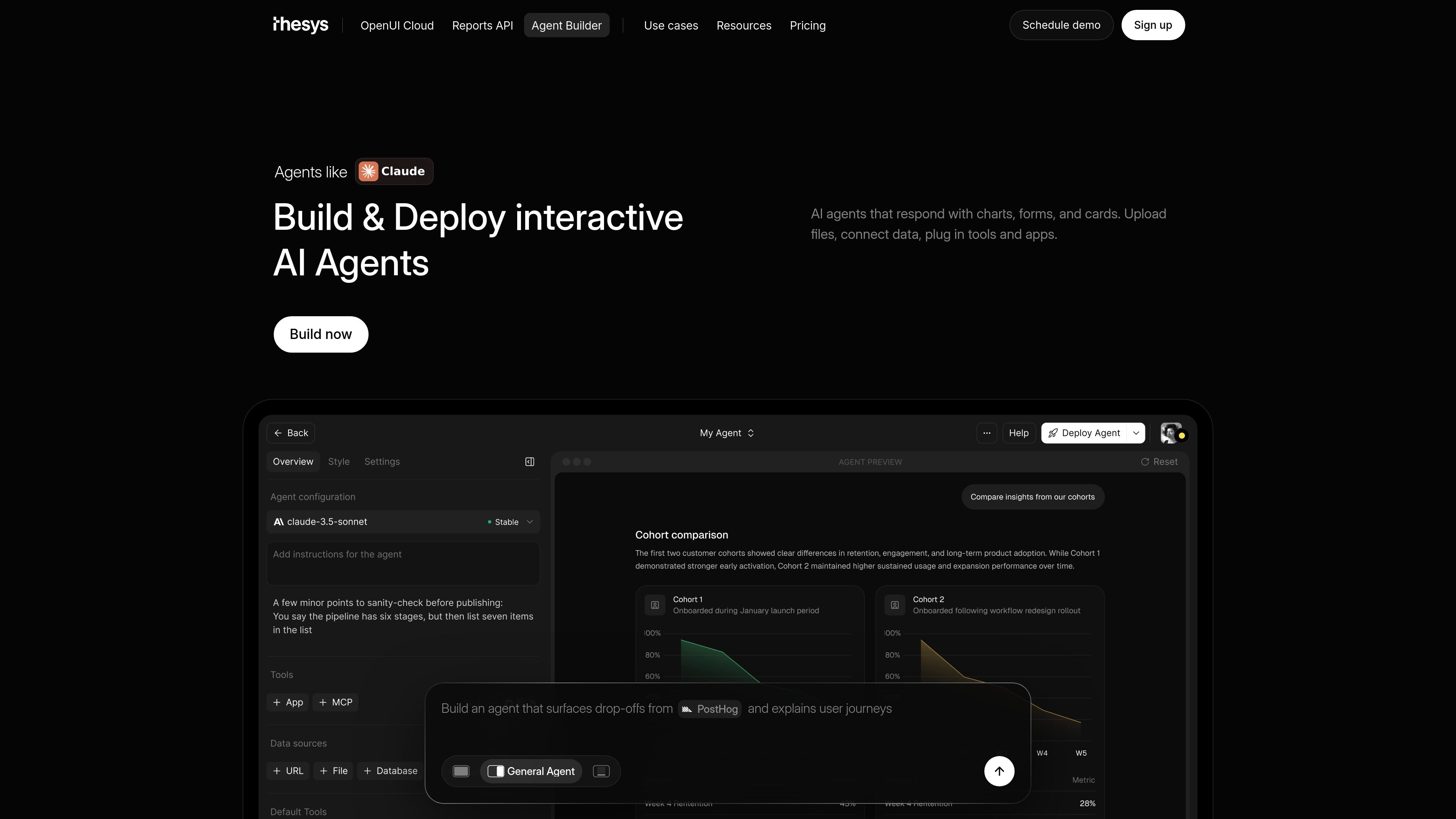
Thesys Agent Builder is a no-code platform for creating and deploying AI agents that use interactive UI instead of returning plain text alone. It is positioned as frontend infrastructure for AI products, with agents that can surface charts, forms, cards, tables, and other actionable outputs.
The product is built for teams that want to connect their own data and tools, set how an agent should behave, and launch it as either a standalone web app or an embedded experience. The site highlights templates for data analytics, website assistants, general agents, reporting, product analytics, revenue intelligence, and FP&A workflows.
Build agents that return charts, forms, cards, tables, summaries, and dashboards instead of plain text responses.
Connect files, apps, databases, and business data so the agent can answer from real context.
Define instructions, guardrails, and workflows to control how the agent behaves across conversations.
Deploy as a standalone web app or embed the same agent in a product, dashboard, website, or internal tool.
Customize colors, themes, typography, and visual style so the agent matches the product it lives in.
Support teammates with workspaces, roles, SSO, RBAC, and workspace-level permissions, plus bring-your-own-login options.
Turn plain-English questions into charts, tables, summaries, and dashboards for business data analysis.
Automate weekly updates, client reports, business reviews, slides, and summaries from live data.
Help teams inspect funnels, cohorts, retention, activation, and experiment performance without waiting on a dashboard refresh.
Surface pipeline risks, churn signals, expansion opportunities, conversion gaps, and sales performance trends for revenue teams.
Create board-ready close reports, forecasts, spend analysis, and variance summaries for finance planning.
Agent Builder is a no-code platform for building and deploying AI agents that respond with interactive UI such as charts, forms, cards, and tables. You can connect data, define instructions and workflows, and deploy the agent as a standalone app or embed it in a product.
It is aimed at product teams, founders, growth and operations teams, and anyone who wants users to interact with their own data through an agent instead of reading plain text answers.
No. The source says you can build, customize, and deploy entirely from the Thesys interface. The product also offers a C1 API if you want to work through code later.
You can start with templates such as Data Analytics, Website Assistant, or General Agent. The source also mentions use cases like reporting, product analytics, revenue intelligence, and FP&A.
Pricing is usage-based. The pricing page shows free, build, grow, and custom tiers, with API usage billed separately and LLM costs billed at provider rates in relevant plans.

Speculos deploys Claude Code apps to shareable URLs, with private, org-wide or public visibility and team controls for domains, data and cloud deployments.

CreateOS Sandbox is an isolated compute environment for running code and agent workloads in Firecracker micro-VMs with private networking and SDK, CLI, or MCP control.

Codex Plugins bundle reusable skills, app integrations, and MCP servers into workflows you can install in the Codex app or use from Codex CLI.

Wallie is an open-source AI streamer that watches your screen, hears chat, and delivers live commentary in a configurable persona. Runs locally with your own keys.

Make Real is a Next.js app that turns hand-drawn wireframes into HTML prototypes with the tldraw SDK and AI models, with canvas sketching and embedded preview.

AakarDev AI helps teams manage AI provider access, project setup, logs, and analytics in one dashboard. BYOK support included.