
Preserve rendered output
Save AI-generated HTML, Markdown, and plain text without stripping formatting, so the saved clip looks the same when reopened or shared.

Clipnote is an AI note-taking tool for saving, organizing, and sharing formatted HTML, Markdown, and plain text from Claude and ChatGPT via unique URLs.
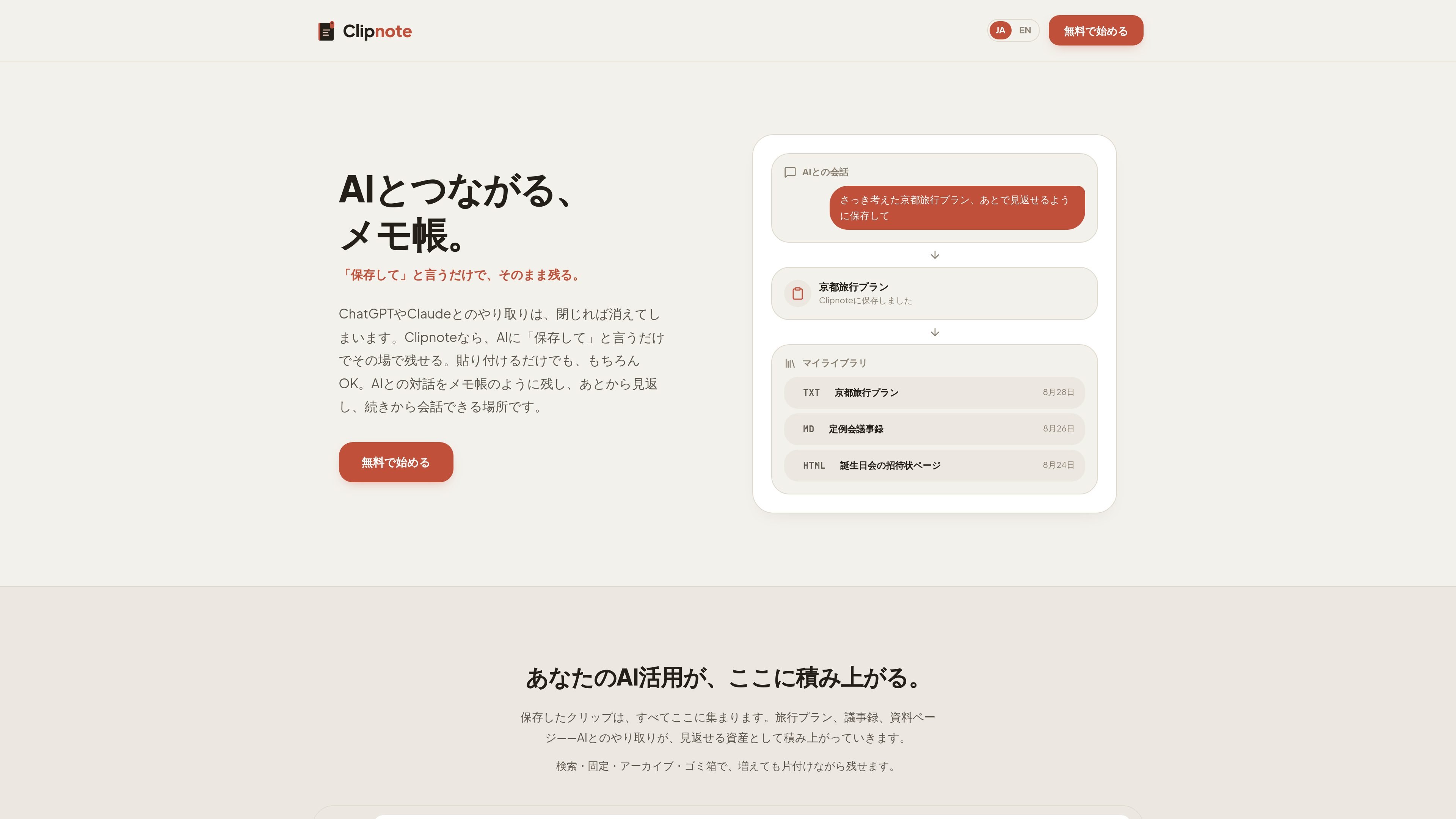
Clipnote is a note-taking tool for AI-generated content. It is built for saving HTML, Markdown, and plain text from conversations with Claude or ChatGPT, keeping the content in its original rendered form instead of flattening it into plain text.
The product is aimed at people who want to keep AI conversations as usable notes or shareable pages. Clips can be saved, searched, pinned, archived, moved to trash, and published through a unique public URL; the site also says AI can create or update clips directly through MCP, and that manual copy-and-paste or file drag-and-drop still works without MCP.
Save AI-generated HTML, Markdown, and plain text without stripping formatting, so the saved clip looks the same when reopened or shared.
Create or update clips by asking the AI to save or rewrite content, and use MCP flows so the AI can act on clips directly.
Publish clips with a unique URL and switch visibility between Private and Public later, so you can share only the items you want to expose.
Organize growing collections with search, pin, archive, and trash states, making it easier to keep related AI work accessible over time.
Store earlier versions automatically when a clip is updated, so previous content remains available for review or recovery.
Group multiple clips into a collection and share them as a single page when one URL is more useful than many separate clips.
Save travel plans, reading notes, or draft writing from a chat session so you can reopen them later in the same formatted state. The sample pages show a Kyoto trip note and a reading memo stored as reusable clips.
Publish meeting notes, proposal pages, or event invitations as HTML or Markdown and share them with a single URL. The site shows examples of meeting minutes and an event registration page being presented as public clips.
Build a personal library of AI outputs and keep it tidy with search, pinning, archiving, and trash. The interface examples show clips grouped by title, format, and visibility.
Ask the AI to read an existing clip, use its contents in a new reply, or update the clip with new details. The site gives examples of adding a hotel suggestion to an existing Kyoto travel plan and updating meeting minutes with a new date.
Store HTML-based utilities or lightweight interactive pages that are created in chat, then open them later from a URL instead of copying code around. The product examples include a split-bill calculator and a rock-paper-scissors game.
Clipnote is designed to save AI-generated HTML, Markdown, and plain text as clips that keep their rendered appearance. The site shows that saved clips can be searched, organized, shared by public URL, and updated later with version history preserved.
The home page says you can connect Claude or ChatGPT with a single approval flow. For Claude, the site states no password or API key is required; for ChatGPT, it notes Developer mode must be turned on in the web version.
Yes. The site says you can save and update clips manually by copy and paste or file drag-and-drop even without MCP connection.
The site shows three supported formats: plain text, Markdown, and HTML. Markdown is presented for structured notes like meeting minutes, while HTML is shown for layout-heavy pages such as event invitations or interactive tools.
Deleted clips are placed in the trash and can be restored for up to 30 days. The product also supports search, pinning, archiving, and changing publish visibility between Private and Public.

Contextberg records your screen, input, browser, and AI agent history locally, then shares work context via MCP with Claude Code and Cursor for resumptions, search, and reviews.

recall is an AI flashcard app that turns reading and notes into study cards with Claude, ChatGPT, or another MCP client. One-time lifetime access with spaced repetition review.

Goldfish is an AI memory app for macOS that helps you reply, write, summarize, and continue with context already on your Mac. It stores memory locally and writes in your tone.

Flunkey is a voice-first productivity layer for Windows that turns speech into text, AI outputs, and remembered context without leaving your app.

Lasso is an ecommerce product data platform for enriching catalog records, processing supplier files, generating product content, and tracking competitors. It includes a web app, REST API, SDK, and MCP server.

ArtDeck is a visual reference board app for iPhone, iPad, and Mac. Collect mixed references on one canvas and study them with ToolBox lenses. Offline, optional iCloud sync, one-time purchase.