
Save links and visual references
Paste a link or save a screenshot, PDF, or image. Crates says it can pull the title, image, price, and details automatically from what you save.

Crates is a personal saving and discovery workspace for links, screenshots, PDFs, and images. Organize what you save with taste-aware search and weekly recaps.
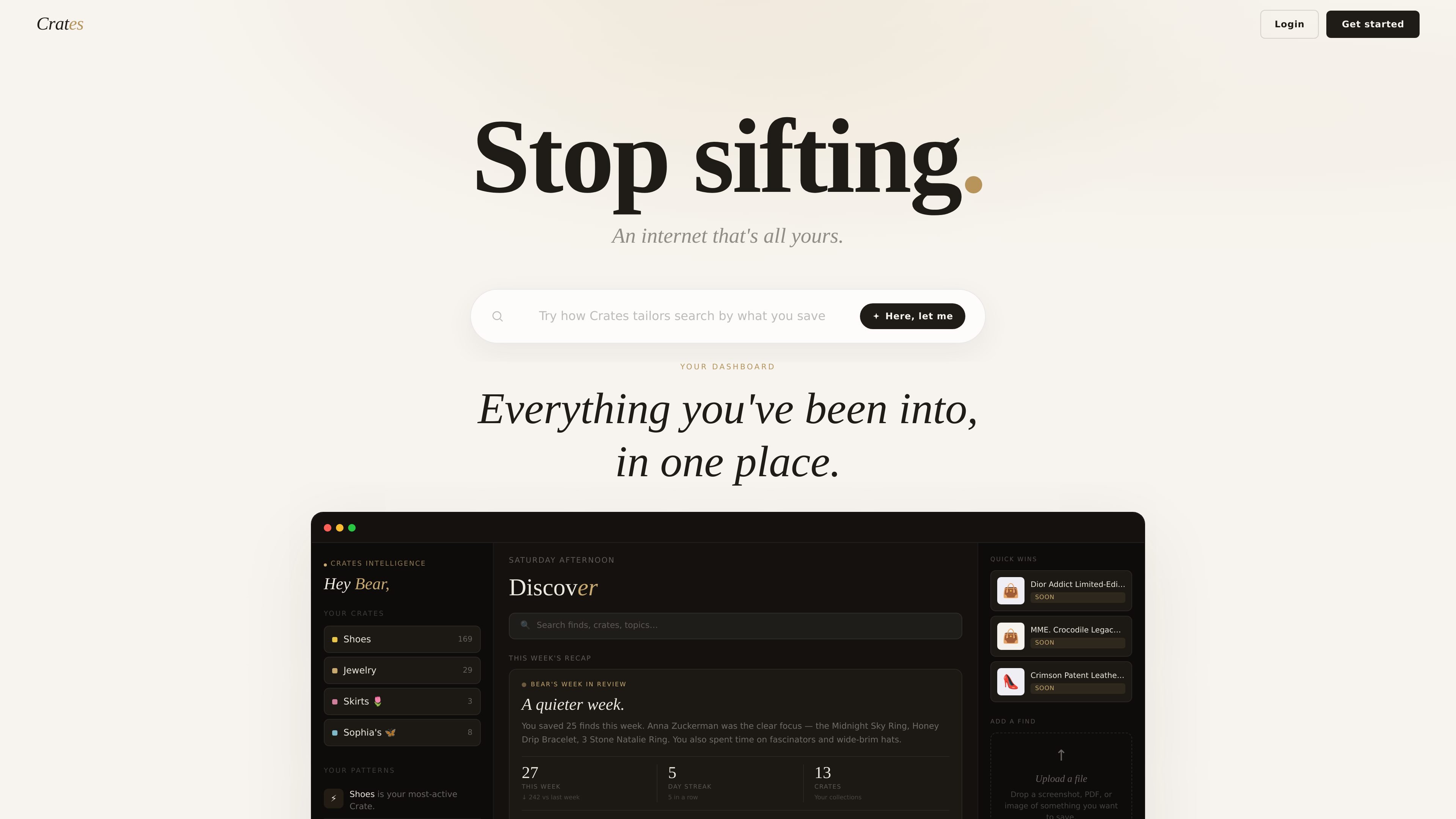
Crates is a personal saving and discovery workspace built around links, screenshots, PDFs, images, and other items you want to keep track of. The product positions itself as a way to stop collecting passively and start organizing what you actually intend to revisit, buy, or explore.
Its core workflow is simple: save something, let Crates extract the details, and keep it in a collection called a Crate. From there, the app groups items by intent, surfaces weekly recaps, and uses your saved history to rank future search results against your taste.
Paste a link or save a screenshot, PDF, or image. Crates says it can pull the title, image, price, and details automatically from what you save.
Every saved item is assigned an intent such as Soon, Someday, or Later so you can separate items you are close to buying from things you are only watching.
Crates generates a weekly recap that summarizes what you saved, what patterns are emerging, and what you have been circling without buying.
Search runs inside Crates and ranks results against your saved taste, with searches that can span finds, crates, and topics.
Items can be marked Got it after purchase, which Crates uses as feedback to refine future recommendations and recaps.
The product presents a dashboard view of your crates, finds, streaks, and patterns so your saved items stay organized in one place.
Use Crates when you want a single place for product links, shopping inspiration, and reference images instead of keeping them scattered across tabs or bookmarks.
Use the intent labels to separate things you plan to buy soon from items you are only watching or dreaming about, so your saved list reflects real priority.
Use the weekly recap to review what you saved most often, which themes are recurring, and what you may be close to purchasing.
Use search from within Crates to revisit saved finds and discover related items based on your own history rather than a generic search ranking.
Crates is a browsing and saving workspace where you can paste a link, save screenshots or files, and have the item transcribed, summarized, and organized. It also surfaces weekly recaps and taste-based search results.
The source shows web pages, screenshots, PDFs, images, and Instagram posts as supported save inputs. It describes the workflow as saving from anywhere and then having the item automatically tagged and organized.
The site says search can be run from inside Crates and that results are ranked against your taste rather than a generic algorithm. It also mentions search across finds, crates, and topics.
The public pages do not show plan details. The pricing URL currently returns a page-not-found message, so pricing appears to be unavailable from the captured sources.

Tactiq is an AI note taker for Google Meet, Zoom, and Microsoft Teams that transcribes meetings live into summaries, action items, and follow-up outputs.

Notewarp is an AI note-taking tool that turns voice notes, uploads, or pasted text into cleaner notes, transcripts, summaries, and action items.

Goldfish is an AI memory app for macOS that helps you reply, write, summarize, and continue with context already on your Mac. It stores memory locally and writes in your tone.

Lasso is an ecommerce product data platform for enriching catalog records, processing supplier files, generating product content, and tracking competitors. It includes a web app, REST API, SDK, and MCP server.

ArtDeck is a visual reference board app for iPhone, iPad, and Mac. Collect mixed references on one canvas and study them with ToolBox lenses. Offline, optional iCloud sync, one-time purchase.

Struere turns spreadsheet data into structured operational software with dashboards, alerts, and automations for teams replacing manual spreadsheet workflows.