
On-device real-time detection
Halo runs locally on the user’s Windows PC and analyzes faces frame by frame while the call is live, rather than sending video to a remote service.

Halo is a Windows desktop app for real-time deepfake detection during video calls, helping teams verify identity before transfers, interviews, or other sensitive decisions.
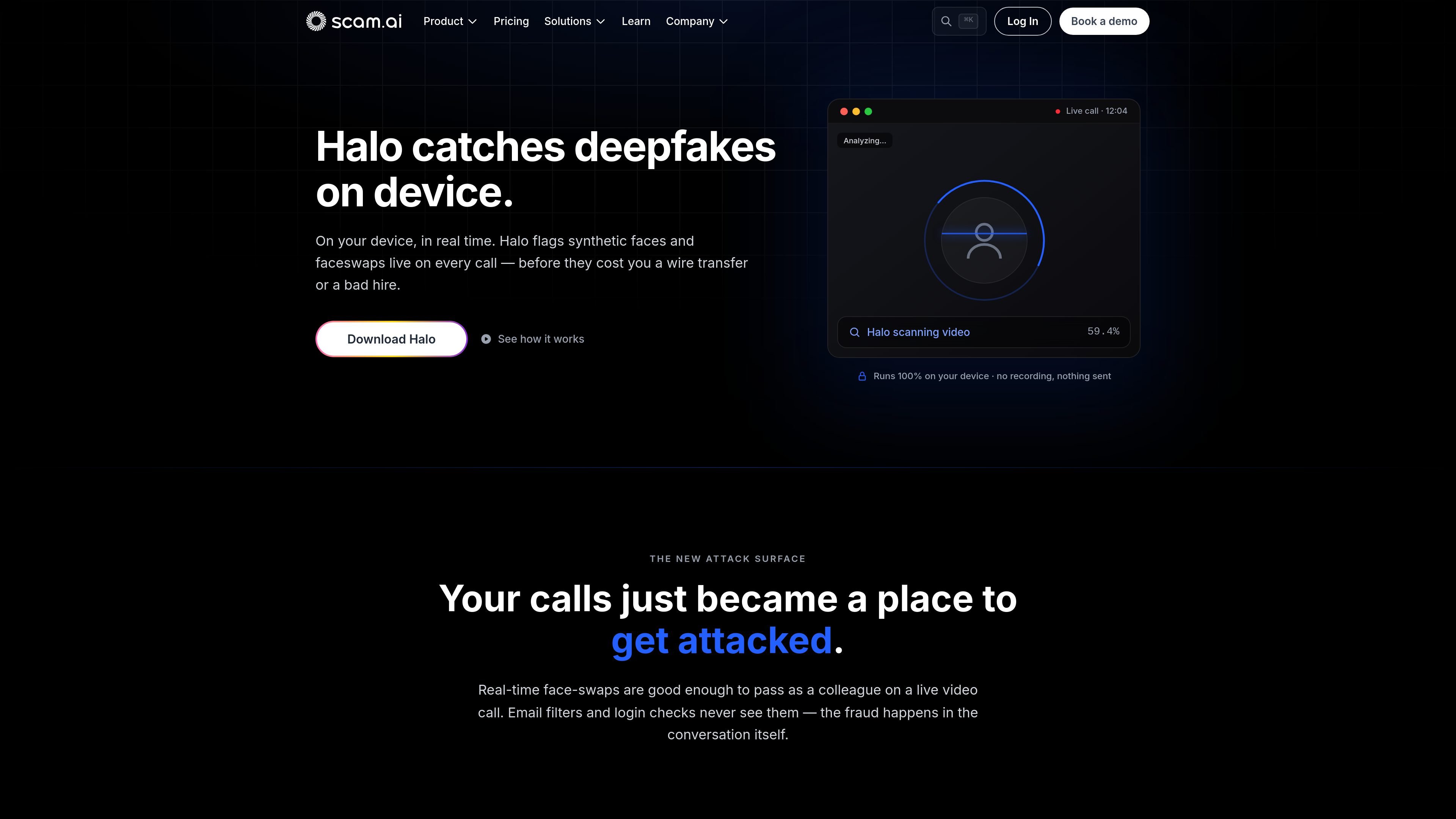
Halo is a Windows desktop app for on-device, real-time deepfake detection in video calls. It is designed to catch synthetic faces and face swaps while a meeting is in progress, so the user can verify identity before making a decision that depends on who is on the other end of the call.
The homepage positions Halo for live conferencing security rather than post-call analysis. It runs on the user’s device, analyzes video frames locally, and does not require uploads during detection; the product pages also state that no recording is stored or transmitted as part of the scanning process.
Halo runs locally on the user’s Windows PC and analyzes faces frame by frame while the call is live, rather than sending video to a remote service.
The product flags synthetic faces and face swaps during the meeting, which is the primary attack pattern described on the homepage.
The homepage says Halo can be used across Zoom, Microsoft Teams, Google Meet, WebEx, and Slack calls, so it is positioned around live conferencing workflows.
Halo sits in the Windows system tray and is installed once as a desktop app, with no plugins or browser extensions required according to the homepage.
The product surfaces alerts during the call so the user can stop and verify before a transfer, approval, or interview decision is made.
The homepage says Halo leaves an on-device audit trail for fraud and compliance review, while keeping frames in memory and discarding them after analysis.
Finance and treasury teams can use Halo during approval calls where a spoofed executive might try to push a transfer through in real time.
Recruiters and hiring teams can check whether a remote candidate’s face appears synthetic during interviews or screening calls.
Executive assistants and approvers can use the alert as a pause point before taking action on a request that depends on the identity of the speaker.
Security-conscious organizations can use the local, on-device model when they want to avoid sending meeting video to a cloud service for analysis.
Teams that need an audit record can rely on the on-device trail described on the homepage for later fraud or compliance review.
Halo is a Windows desktop app that detects deepfakes during video calls on your device in real time. The source pages describe it as protecting meetings by analyzing faces locally as the call happens.
The download page says Halo is available for Windows and offers separate installers for x64 (Intel/AMD) and ARM64 (Snapdragon/Windows-on-ARM) devices.
According to the homepage and support page, Halo is designed to protect video meetings on Zoom, Microsoft Teams, Google Meet, WebEx, and Slack calls, and it sits in the system tray rather than using a browser extension or plugin.
Halo analyzes video frames on the device, and the homepage says no recording is stored or transmitted during detection. The support page also includes a question about whether video ever leaves the computer.
The homepage explains that Halo can surface an alert during the call if a face looks synthetic, so users can pause and verify before approving an action or continuing the meeting.

MeetStream is a meeting bot API for Zoom, Google Meet, Microsoft Teams, and Webex. Record, stream, and analyze meetings with usage-based pricing and $5 free credit.

Liam is an AI copilot for inbox management, email replies, prioritizing messages, and scheduling meetings. Free for individuals; custom pricing for teams and enterprise.

Tactiq is an AI note taker for Google Meet, Zoom, and Microsoft Teams that transcribes meetings live into summaries, action items, and follow-up outputs.

garden-md is an open-source Node.js CLI that turns meeting transcripts into a local company wiki, linking entities and preserving the original text.

Scripta is a privacy-first AI notetaker that records, transcribes, and summarizes meetings on your device. Mac beta download available; Windows waitlist.
Parrot is a free, open-source AI meeting recorder and live assistant for macOS 14+ on Apple Silicon. Record, search, and act on calls without a meeting bot.