
Local Offline Background Removal
Built-in RMBG-1.4 AI model processes images locally, emphasizing offline use and fast background removal response. The official site notes that actual speed varies by device.

鲜艺AI抠图 is a free offline background remover powered by RMBG-1.4, with batch processing, auto trim, and post-editing; for learning only.
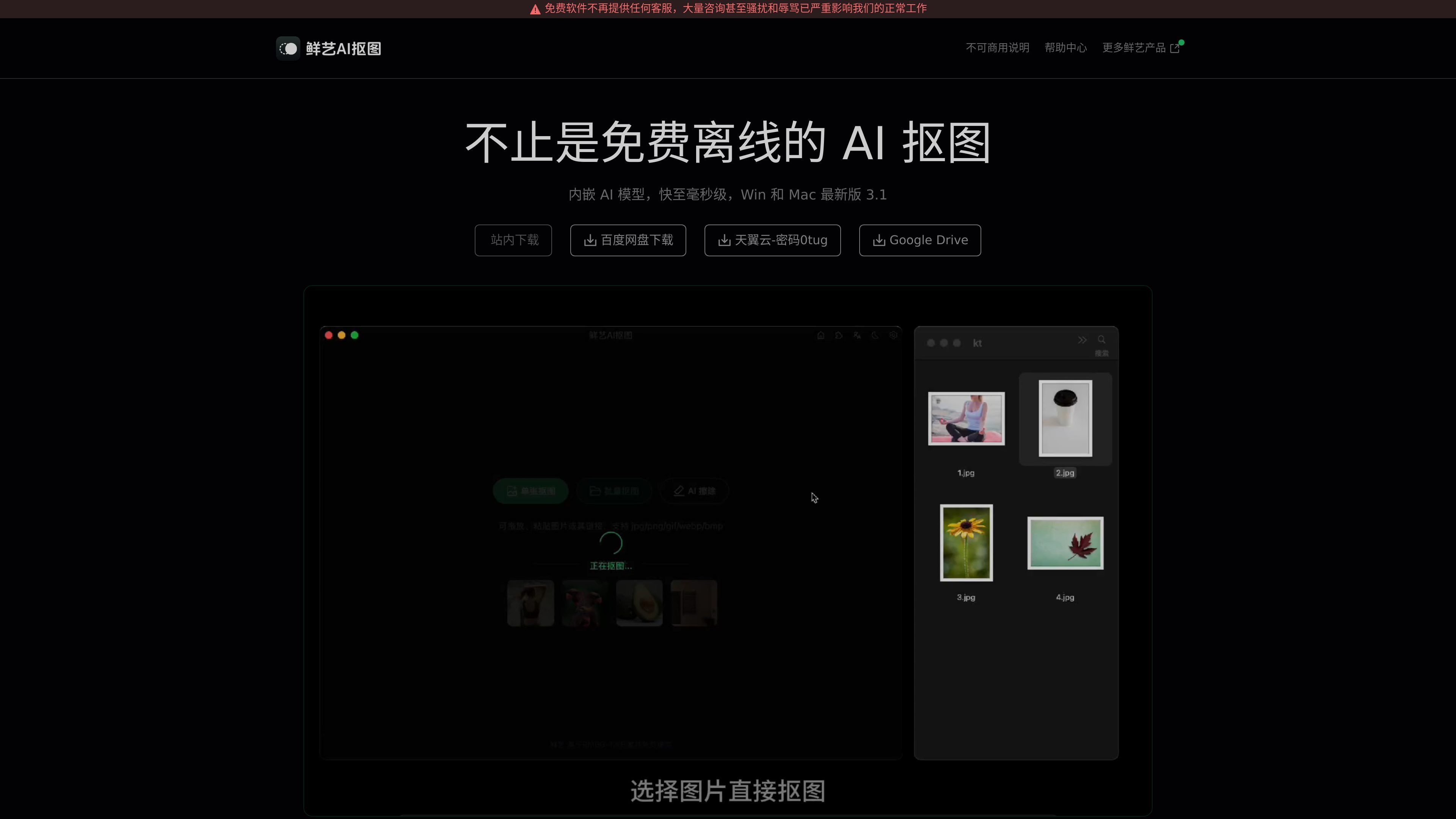
鲜艺AI抠图 is a free offline background remover based on the RMBG-1.4 model. The official site emphasizes local processing, no login required, and no internet connection needed to use it. It is aimed at people who need to quickly remove backgrounds, process images in batches, and edit results afterward, with a focus on single-image and batch image processing on desktop.
The official site says it supports multiple import methods, including selecting images, dragging and dropping images, pasting images, pasting image links, and dragging images directly from web pages. It also supports jpg/jpeg, png, gif, webp, and bmp formats. Results can automatically trim transparent pixels, be copied to the clipboard automatically, and support erasing, modifying, setting background colors, and exporting PSD files for further editing in Photoshop.
Built-in RMBG-1.4 AI model processes images locally, emphasizing offline use and fast background removal response. The official site notes that actual speed varies by device.
Supports file selection, drag-and-drop, pasting images, pasting image links, and dragging images directly from web pages, making it easy to bring images from different sources into one workflow.
Can batch process by selecting a folder, automatically recognizing supported image formats in folders and subfolders, which is suitable for processing grouped images consistently.
After background removal, it can automatically trim extra transparent pixels and optionally copy the result to the clipboard; both options can be disabled in settings.
Supports erasing, modifying, setting the background color, and generating PSD files for continued editing in Photoshop, making post-processing easier.
Provides URL Scheme, HTTP, and WebSocket calling methods, and mentions plugin-based integration with Figma, Js Design, MasterGo, Pixso, XDSketch, and other tools.
Suitable for quickly removing backgrounds from single images, such as product images, avatar images, or asset images. The software supports drag-and-drop, paste, and link import, and can automatically copy the result after processing to reduce extra steps.
Suitable for scenarios where a large number of images need to be processed. By selecting a folder for batch background removal, the program automatically recognizes supported image formats in the folder and subfolders and processes them one by one.
Suitable for refining edges, changing backgrounds, or using the output in a design workflow after background removal. The software provides erase, modify, and background color options, and can generate PSD files for continued editing in Photoshop.
Suitable for workflows that need background removal directly inside design tools. The official site mentions support for integration with Figma, Js Design, MasterGo, Pixso, XDSketch, and other tools through plugins and APIs.
Suitable for local use and scenarios where uploads should be minimized. The official site emphasizes that images are processed locally and can be used without internet access, with network requests only when checking for new versions.
The official help center lists installation issues, update logs, FAQs, background remover result editing, Ps editing plugins, keyboard shortcuts, API calls, and URL Scheme launch parameters, so it is a good place to start by topic.
According to the official site, it supports clicking to choose files, dragging and dropping images, pasting images, pasting image links, and dragging images directly from web pages; batch background removal is done by selecting a folder.
The official FAQ states that jpg/jpeg, png, gif, webp, and bmp are currently supported.
The official site says the software is intended mainly for learning and research, and both the copyright statement and terms of service state that commercial use is not allowed.
The official site states that image processing is completed locally and works without being online by default; the only network request is used to check for new versions.

BgSub is a browser-based AI tool for removing or replacing image backgrounds. Fast cutouts, background replacement, and color adjustment for product images, photos, and web visuals.

Slazzer is an AI photo editor for automatic background removal, with web app, API, desktop software and plugins, plus upscaling and restoration tools.

Pixelcut is an AI photo editor for product images, social content and video assets. Free and paid plans; mobile app and browser access for individuals and teams.

Magic Eraser is an AI-powered tool that allows users to quickly remove unwanted objects, people, text, and blemishes from photos with ease.

Airbrush is an AI photo and portrait editor for web, desktop, and mobile. Retouch portraits, remove backgrounds, and enhance images with credit-based AI tools.

Aaavatar is a macOS portrait editor for teams. Remove backgrounds, apply brand colors or presets, and export consistent staff photos to LinkedIn, Slack, and email.