
PromptPaste
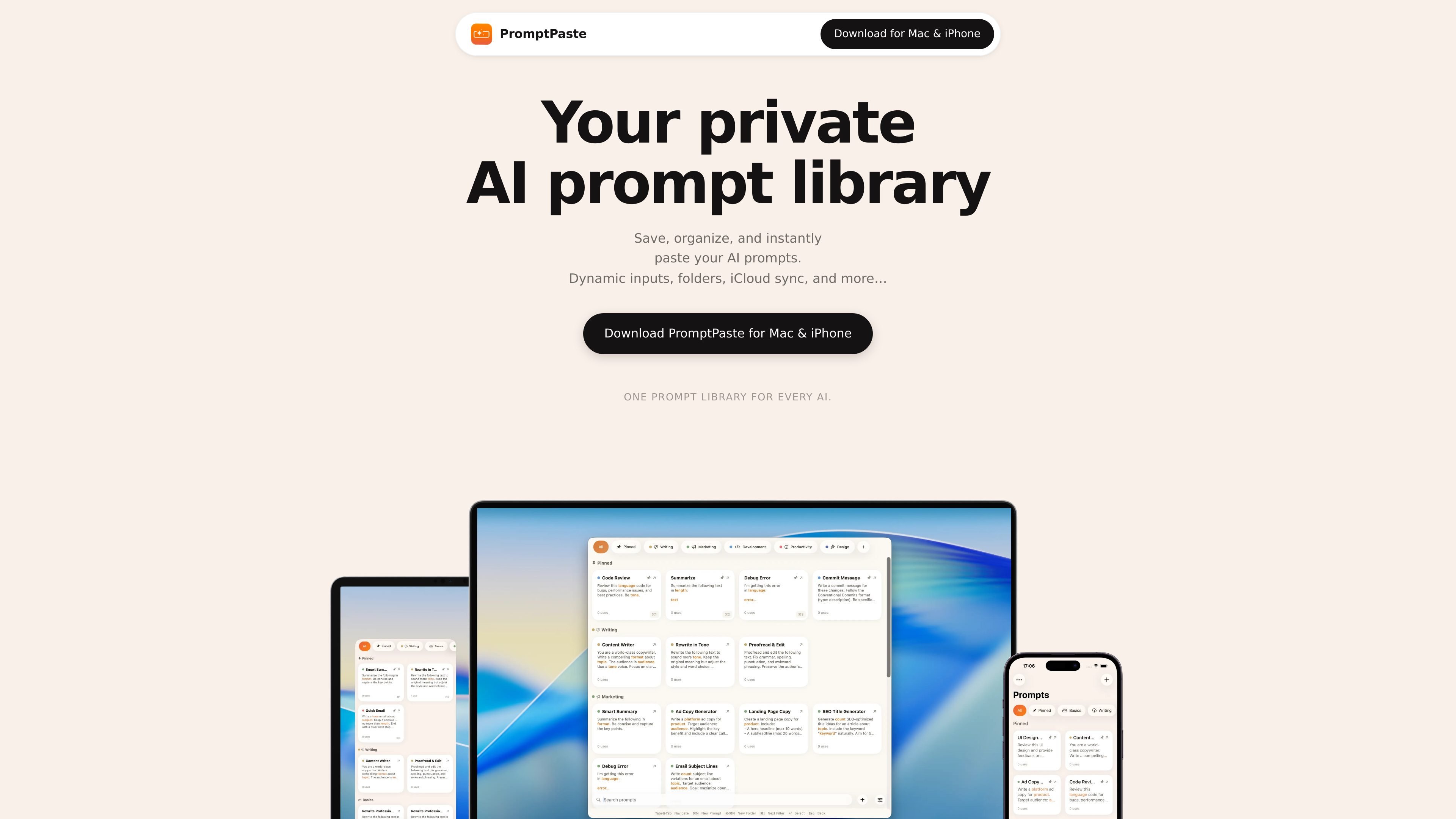
PromptPaste is a private AI prompt library to save, organize, and instantly paste prompts with dynamic templates. Sync via iCloud across Apple devices.
What is PromptPaste?
PromptPaste is a private AI prompt library that helps you save, organize, and quickly paste prompts for use with a wide range of AI tools. It’s designed to work across Apple devices so your prompt collection stays available when you’re switching between Mac and iPhone/iPad.
The core purpose is to make prompts reusable and easy to manage—especially when prompts need dynamic inputs, such as filling in variables before sending them to an AI.
Key Features
- Prompt library for multiple AI models: Works with major AI model providers and products, including ChatGPT, Claude, Gemini, Grok, and others listed on the site, so you can keep one organized prompt set.
- Dynamic prompt templates with variables: Use
{{variables}}placeholders to fill in inputs and generate prompts in a repeatable way. - Fast prompt search and folders: Search, pin, and organize prompts into folders for quick access.
- Prompt drafting with on-device AI: Start with an on-device AI draft so you don’t have to begin from a blank prompt.
- iCloud sync across Mac, iPhone, and iPad: Your prompts follow you across Apple devices automatically.
- Privacy by design: Prompts never leave your device or your private iCloud; the app states there are no accounts and that nothing typed in the app is tracked.
How to Use PromptPaste
- Install PromptPaste for Mac or PromptPaste for iPhone (the iPhone page offers an App Store install flow).
- Create or collect your prompts inside the library.
- For repeatable workflows, convert prompts into templates that include
{{variables}}and fill those inputs when needed. - Use search and folders to find the right prompt quickly.
- When you’re ready to use it in an AI tool, use the app’s one-tap copy behavior (described as “instantly paste your AI prompts”) to paste the prompt where you want it.
Use Cases
- Frequent prompting across different AI tools: Keep one prompt library and reuse the same prompts across multiple AI products (e.g., chat and image generation tools) without rewriting them each time.
- Reusable workflows with variable inputs: Maintain templates for common tasks (such as rewriting, summarizing, or generating content) and fill in
{{variables}}with the specific details for each run. - Project-based organization: Use folders and pinning to separate prompts by client, project, or task type, so you can quickly retrieve what you need.
- Drafting prompts without starting from scratch: Generate an initial prompt draft using the app’s on-device AI draft feature, then edit it to match your intent.
- Cross-device continuity: Draft or refine prompts on a Mac, then continue using the same prompt library on an iPhone or iPad via iCloud sync.
FAQ
Does PromptPaste work with different AI models?
Yes. The site states that PromptPaste works with major AI models and tools, and provides a list of examples including ChatGPT, Claude, Gemini, Grok, Perplexity, Midjourney, DALL·E, Sora, Veo, Runway, Flux, Stable Diffusion, Ideogram, Kling, DeepSeek, Llama, GitHub Copilot, Adobe Firefly, and Seedance.
Can I use prompts with dynamic inputs?
Yes. PromptPaste supports dynamic prompt templates where you can fill {{variables}} to generate prompts with the inputs you need.
Is the app account-based?
No. The site states there are no accounts.
Are prompts synced across my devices?
Yes. The site says your prompts sync across Mac, iPhone, and iPad via iCloud.
Do prompts leave my device?
According to the site’s privacy statement, prompts never leave your device or your private iCloud.
Alternatives
- Notes or a dedicated snippet manager: Generic note apps or snippet tools can store prompt text, but they typically lack model-aware workflow features like variable templates and a prompt-specific library experience.
- Generic template/paste apps: Tools that manage reusable templates can help with consistent phrasing, but may not include prompt libraries, folder organization, and iCloud sync tailored to prompt workflows.
- AI chat applications with prompt history: Many chat apps keep prior prompts, but they’re usually tied to a single service/workspace; a dedicated prompt library is better for cross-tool reuse and consistent organization.
- Developer prompt/version management: For teams or developers, prompt management can also be handled through repository-based configuration or internal tooling; this can be more involved to set up and maintain compared with an app-based library.
Alternatives
Struere
Struere is an AI-native operational system that replaces spreadsheet workflows with structured software—dashboards, alerts, and automations.
garden-md
Turn meeting transcripts into a structured, linked company wiki with local markdown and an HTML browser view. Sync from supported sources.
Prompty Town
Prompty Town is a tiny internet city of links—buy a tile, attach your link, prompt it with text/content, and let others browse.
Falconer
Falconer is a self-updating knowledge platform for high-speed teams to write, share, and find reliable internal documentation and code context in one place.
Creativly
Creativly is a browser-based creative tool that helps you create without writing prompts—generate creative outputs fast with a simple workflow.
BookAI.chat
BookAI allows you to chat with your books using AI by simply providing the title and author.

