
AI background removal
Remove the background from an image automatically, with no manual masking required in the standard workflow.

Hotpot.ai Remove Background uses AI to remove image backgrounds while preserving people and products. Supports transparent output, background replacement, API, and self-hosted deployment.
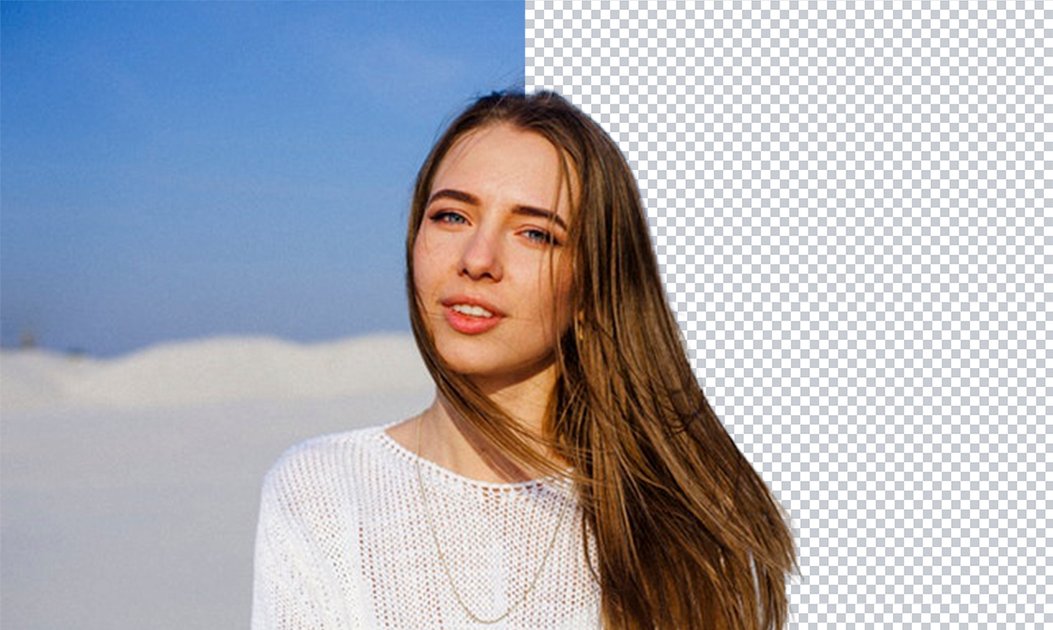
Hotpot.ai Remove Background is an AI image editing tool that removes backgrounds from photos while preserving the main subject. The product is tuned for people and products, and the page positions it for common image workflows such as e-commerce listings, profile photos, passport photos, and marketing graphics.
The service uses object segmentation and alpha masking to isolate the foreground and then clean up the result. By default it returns a transparent background, but the API can also replace the background with a supplied image or color, or return an alpha mask for client-side composition. Hotpot also offers API access, no-code bulk creation, and self-hosted containers for organizations that need to integrate the feature into a broader workflow.
Remove the background from an image automatically, with no manual masking required in the standard workflow.
Optimized to extract people and products cleanly, which the site calls out as a fit for e-commerce pictures, profile photos, and marketing graphics.
The API supports returning a transparent result by default or placing the subject on a supplied background image or background color.
The API can return an alpha mask instead of the edited image, which the docs describe as useful for large images because it can reduce transfer time and bandwidth.
Hotpot documents support for image file upload or public image URLs in the API, plus JPG, PNG, or WebP output formats.
The site offers API access, no-code bulk creation, and self-hosted containers for organizations that need to embed the workflow or run it in their own environment.
Remove backgrounds from product photos so listings can present items on transparent or alternate backgrounds.
Clean up profile pictures, headshots, and passport-style images by isolating the subject from distracting backgrounds.
Prepare marketing graphics that need a cutout subject for banners, social posts, or promotional assets.
Embed background removal into an application, website, or internal workflow through the API or self-hosted container.
Process images in bulk with no-code creation or API-driven automation when teams need higher-volume output.
It removes backgrounds from images with AI and can return a transparent background by default. The page also notes a Mask option that replaces transparency with a background image of your choice.
The site says it is optimized to cleanly extract people and products, and it uses object segmentation plus alpha masking to separate foreground objects from the background.
Free requests use the CC BY-NC license. The site says full-resolution output and commercial use require buying credits.
Yes. The product page states that API access and no-code bulk creation are available, and the API documentation also describes a self-hosted container option for enterprises.
The pricing page says most Hotpot products offer free access for exploration, while commercial usage and advanced settings require credits.

BgSub is a browser-based AI tool for removing or replacing image backgrounds. Fast cutouts, background replacement, and color adjustment for product images, photos, and web visuals.

Slazzer is an AI photo editor for automatic background removal, with web app, API, desktop software and plugins, plus upscaling and restoration tools.

Pixelcut is an AI photo editor for product images, social content and video assets. Free and paid plans; mobile app and browser access for individuals and teams.

Magic Eraser is an AI-powered tool that allows users to quickly remove unwanted objects, people, text, and blemishes from photos with ease.

Airbrush is an AI photo and portrait editor for web, desktop, and mobile. Retouch portraits, remove backgrounds, and enhance images with credit-based AI tools.

Aaavatar is a macOS portrait editor for teams. Remove backgrounds, apply brand colors or presets, and export consistent staff photos to LinkedIn, Slack, and email.