
Semantic file search
Search by describing what a file means or contains instead of relying only on its filename or exact keywords.

Instant is a fully offline semantic file-search app for Mac that finds documents, photos, and scans from natural-language descriptions—without sending files or searches to the cloud.
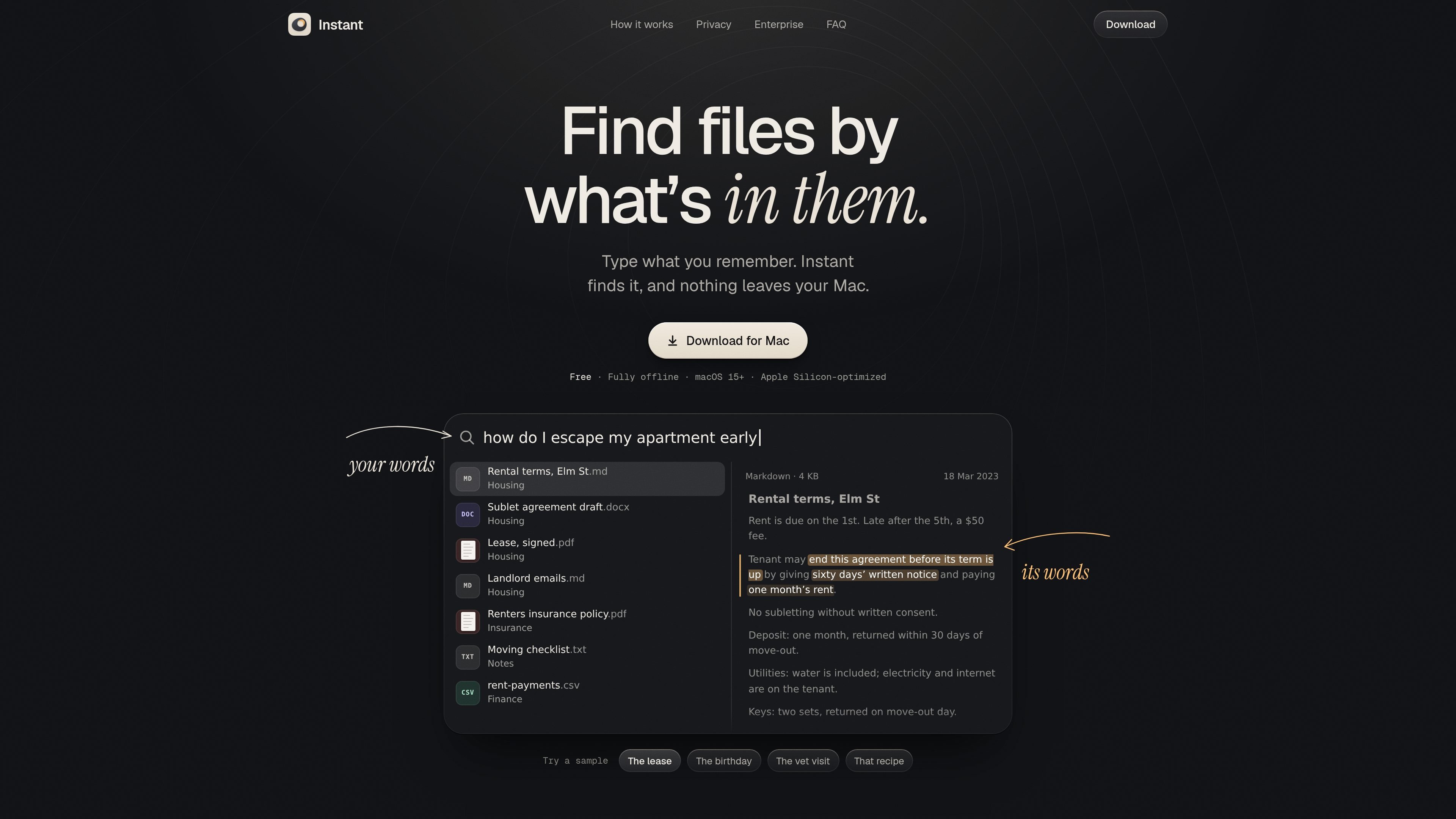
Instant is a local semantic search app for Mac. It lets users describe a file in ordinary language and searches the contents of selected folders, rather than depending only on filenames or exact keywords. Results can include documents, images, and scanned material, with relevant text or passages highlighted where available.
The app is designed for private, on-device file discovery. Its site says that indexing, the search model, files, and searches remain on the Mac, with no account or cloud service required. Instant is offered for macOS 15 and later and is optimized for Apple Silicon.
Search by describing what a file means or contains instead of relying only on its filename or exact keywords.
Processes documents, photos, and scans, including scans without a text layer, so visual and text-based material can be searched together.
Supports PDF, scanned PDF, DOCX, RTF, ODT, Markdown, text and source code, as well as HEIC, JPEG, PNG, WebP, GIF, and TIFF images.
Shows matching passages or highlighted text alongside results, helping users verify why a file matched the query.
Runs the index, search model, and searches locally; the site says files and searches never leave the Mac and no account is required.
Opens from any app with Option-Space by default, with support for choosing another shortcut combination.
Describe a contract clause, policy detail, or payment term in everyday language and locate the relevant document or passage without remembering its exact wording.
Search notes, wish lists, photos, and related files using a remembered idea or event, such as a gift suggestion written down months earlier.
Locate information in veterinary records, receipts, manuals, or other scanned documents when the original file has little or no searchable text layer.
Use a broad description to find a recipe, draft, speech, or code-related file across selected folders, then inspect the highlighted passage to confirm the match.
Download Instant for Mac, choose the folders to search, and press Option-Space (⌥ Space) to open search. The site says you can also configure another shortcut combination.
Instant searches text, photos, and scans. It lists support for PDF, scanned PDF, DOCX, RTF, ODT, Markdown, text and source code, plus HEIC, JPEG, PNG, WebP, GIF, and TIFF images.
The first index takes minutes for an average document collection and can take hours for a large photo library. After the initial pass, only changed files are reindexed. The local search model requires about 1 GB of disk space once.
The site states that Instant is free, fully offline, and keeps files and searches on the Mac without an account or cloud service. The /pricing page does not provide additional plan or pricing details.
Instant is positioned for macOS 15 or later and is optimized for Apple Silicon Macs. The source does not document support for older macOS versions or Intel Macs.

ArtDeck is a visual reference board app for iPhone, iPad, and Mac. Collect mixed references on one canvas and study them with ToolBox lenses. Offline, optional iCloud sync, one-time purchase.

Codex Plugins bundle reusable skills, app integrations, and MCP servers into workflows you can install in the Codex app or use from Codex CLI.

Snapmark is a VS Code extension for annotating clipboard screenshots before pasting them into AI chats. Blur sensitive details, add numbered callouts, and auto-resize large images.

PDFTools is a browser-based suite of free and premium PDF tools for editing, conversion, and document handling—process PDFs locally without uploading files.

Open Computer Use is an open-source Computer Use service wrapped as MCP for macOS, Linux, and Windows. It helps AI agents and MCP clients run desktop automation workflows through client setup commands or manual MCP configuration.

CloudFuze guides Claude to Gemini migration, moving conversation history and context into Google Drive and Gemini Gems for continuity.